Coming Soon! Improved Duplicate Review and New RealTime Data Product Features
We're making it easier and faster to review possible duplicates on 360 pages, and adding new options for configuring match rules and uniformity scores in limited release RealTime data products.
Easier Suggested Duplicate Review on 360 Pages
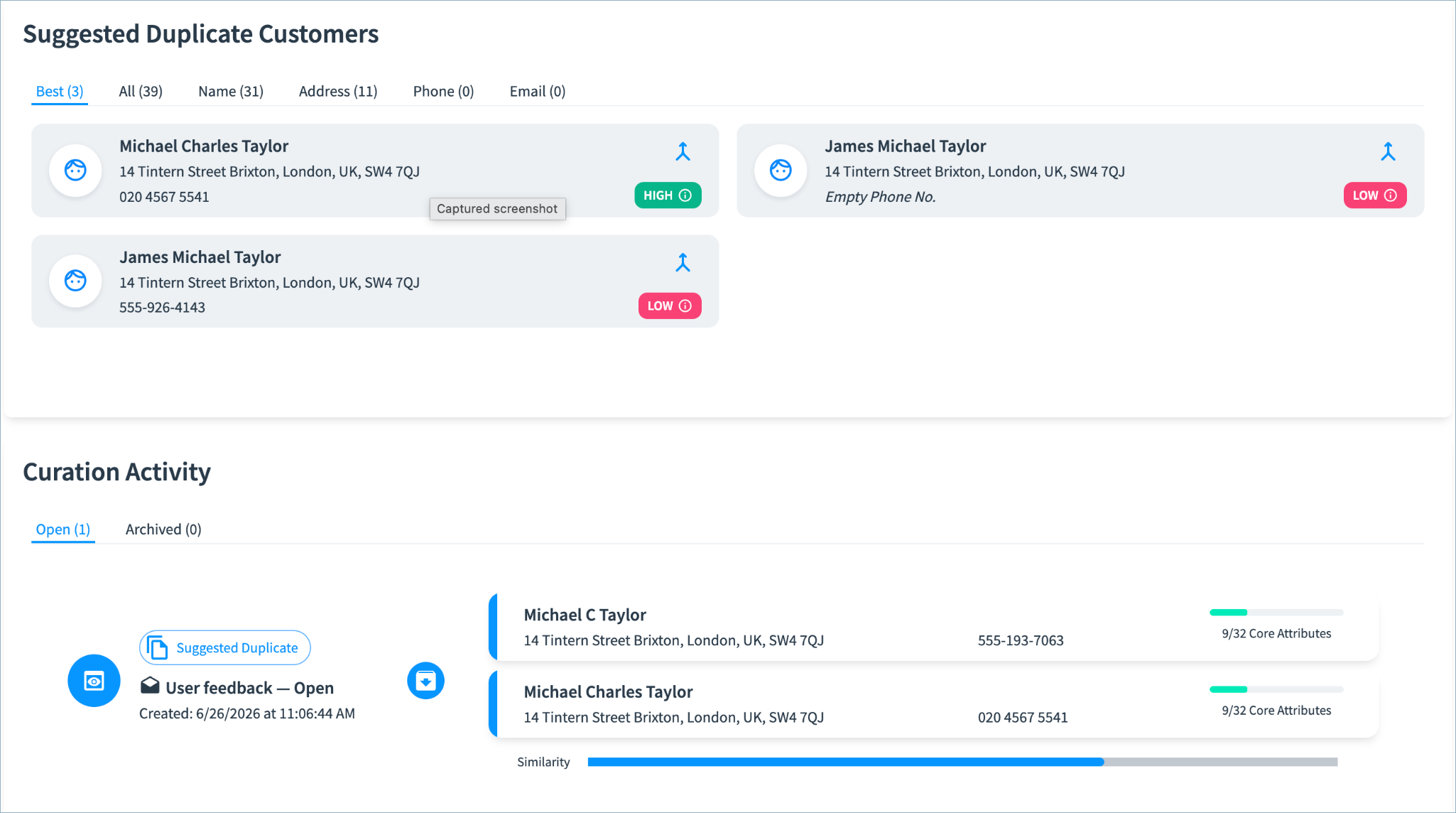
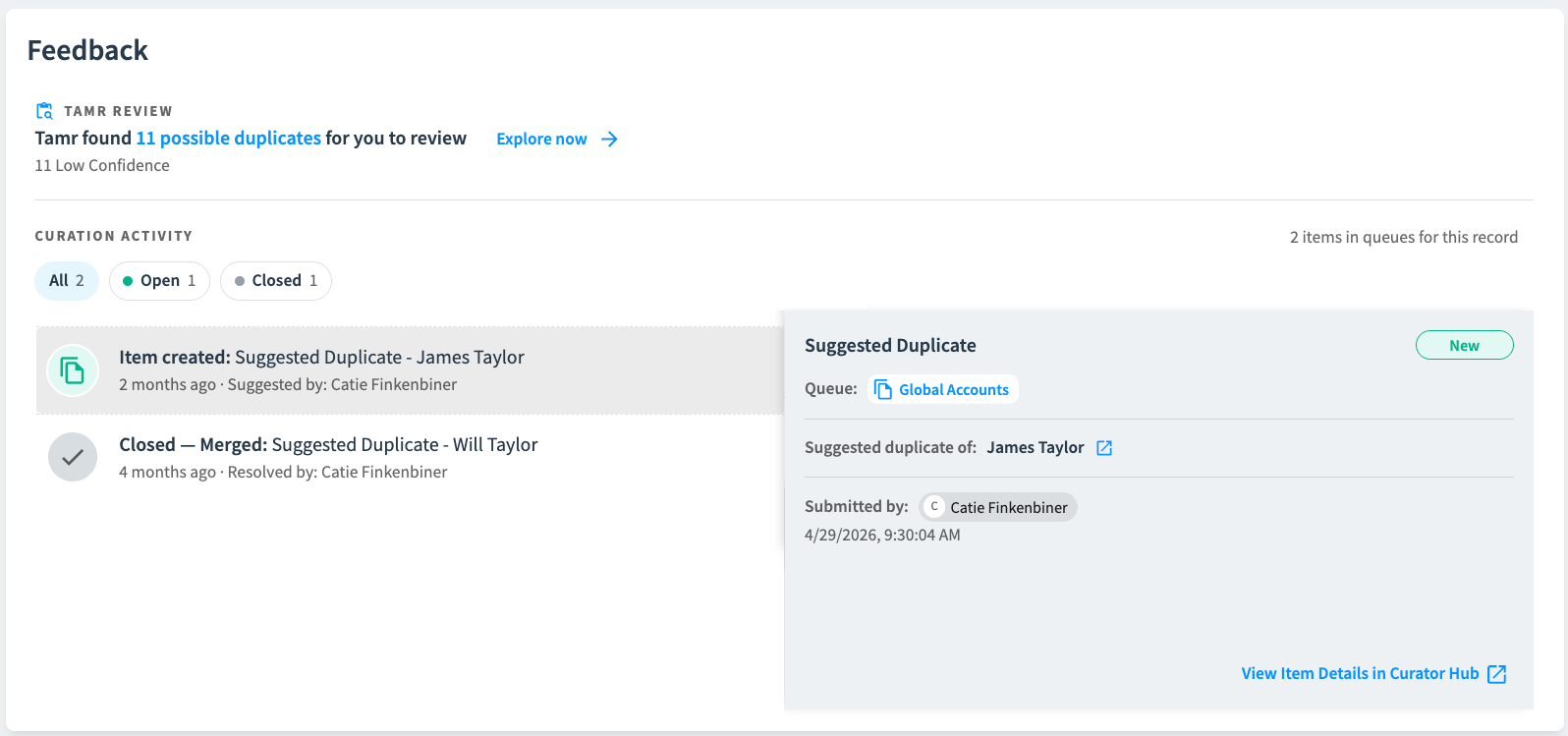
You’ll soon find a new Feedback section on 360 pages, replacing the Suggested Duplicate and Curation Activity sections.
In Feedback, all users will be able to:
- Quickly see all open and closed curation items for the record.
- Review all possible duplicates in detail.
- Suggest merges between any two records - adding an item in the curation queue for further review.
Users with curator or higher permission will be able to:
- Dismiss these possible duplicates.
- Navigate directly to items in the curation queue.
Current Suggested Duplicate & Curation Activity Sections
New Feedback Section
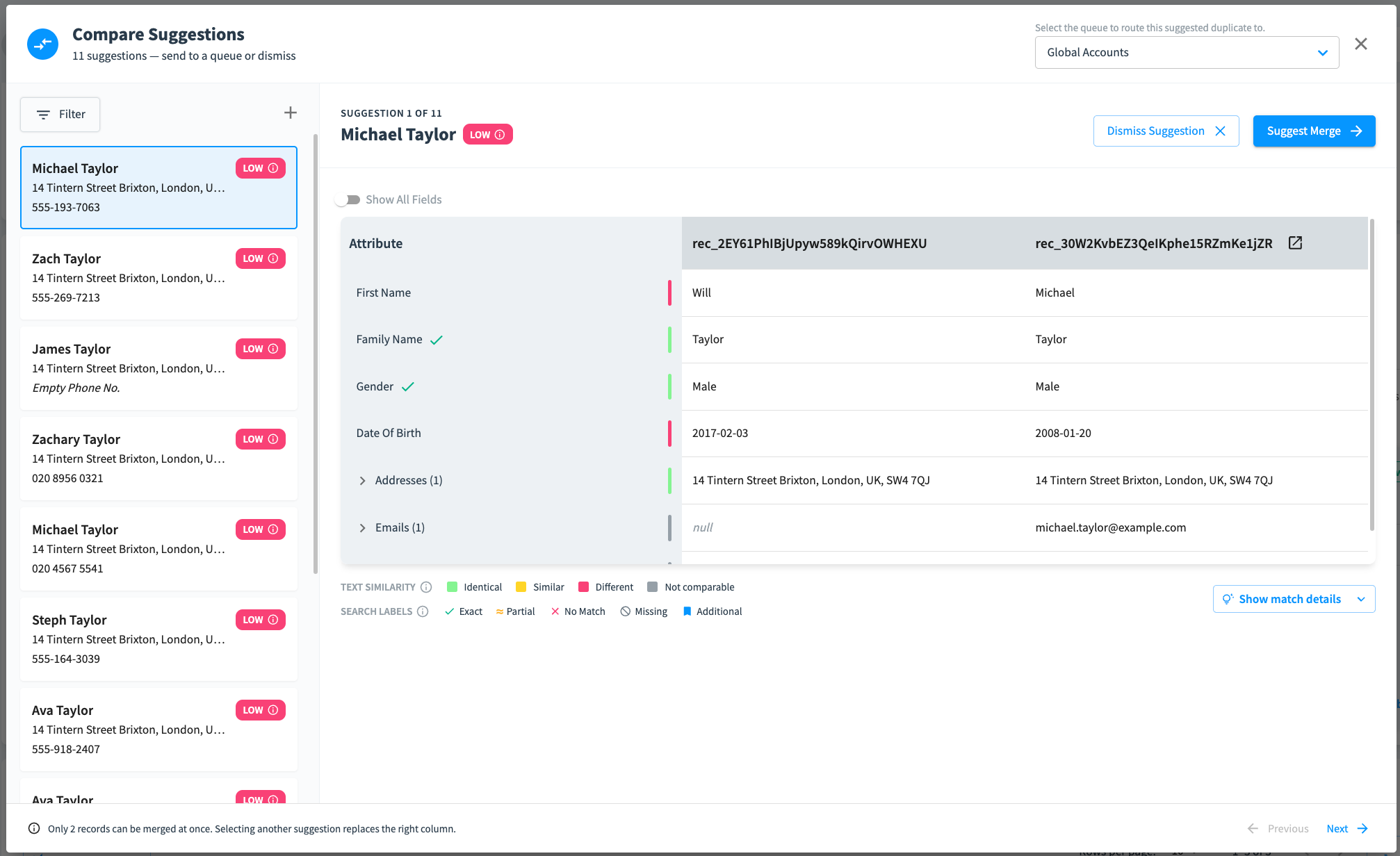
Select Explore now to review and compare all possible duplicates for this record.
Select an item in the list to compare the records. You can select Show match details to view the detailed analysis of why these two records may be duplicates. Dismiss the suggestion to remove it from the possible duplicate list, or suggest a merge to add an item in the curation queue for further review.
RealTime Data Products: Match Rules and Uniformity Scores
Match rules and uniformity scores will be available soon in limited release RealTime data products.
Tune Your Match Results with Match Rules
Match rules rules deterministically identify records that should or should not be matched together based on matching or non-matching values in specified attributes.
For example, you might want records with the same Personal Identifier value to be matched into the same cluster, as shown below.
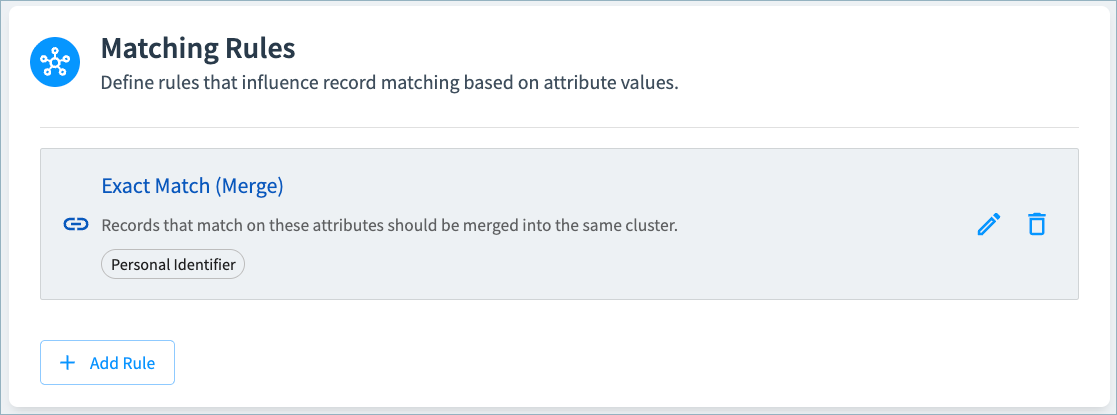
You will be able to create the following types of rules:
- Exact Match (Merge): If records have matching non-null values for the selected attributes, they will be clustered together.
- Mismatch (Split): If records have different non-null values for the selected attributes, they will not be clustered together.
- Both: Apply both exact match and mismatch rules to ensure that all records in a cluster have the same or null value for the selected attributes.
If you add multiple rules, the rules higher in the list take precedence over the rules lower in the list.
Calculate Uniformity Scores
Uniformity scores (High, Medium, Low) indicate the similarity of clustered source record values to the golden record values, and can help curators identify clusters requiring further review and refinement. These scores will be available on 360 pages.
You will be able to configure an overall uniformity score for the cluster, choosing which attributes to include in the calculation. Additionally, you will able to calculate uniformity scores for selected individual attributes.
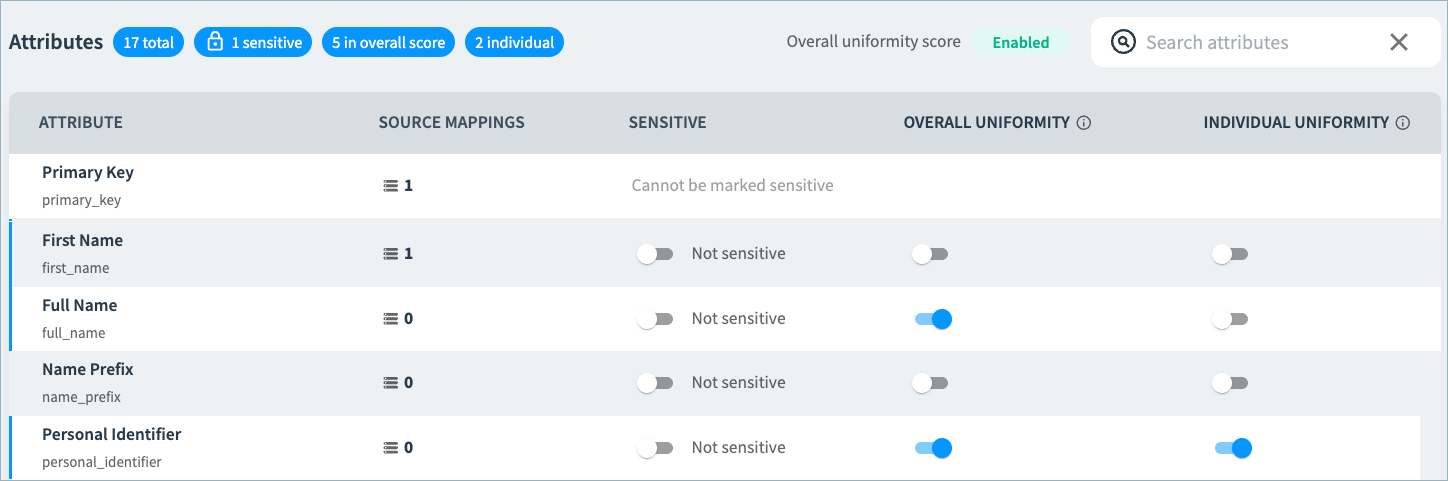
In the example below, Full Name and Personal Identifier are included in the overall uniformity score. An individual uniformity score is calculated for the Personal Identifier field. Curators may want to investigate clusters with low uniformity to verify that all records in the cluster represent the same person.