
Product Update November 13, 2026
Take a sneak peek at upcoming new features and learn about recent product improvements.
Coming Soon! Dark Mode and More in the Tamr Cloud UI
Tamr Cloud UI Update
The Tamr Cloud UI is getting an upgrade!
Learn about some of the key improvements in our updated, more consistent user experience - without changes to product navigation.
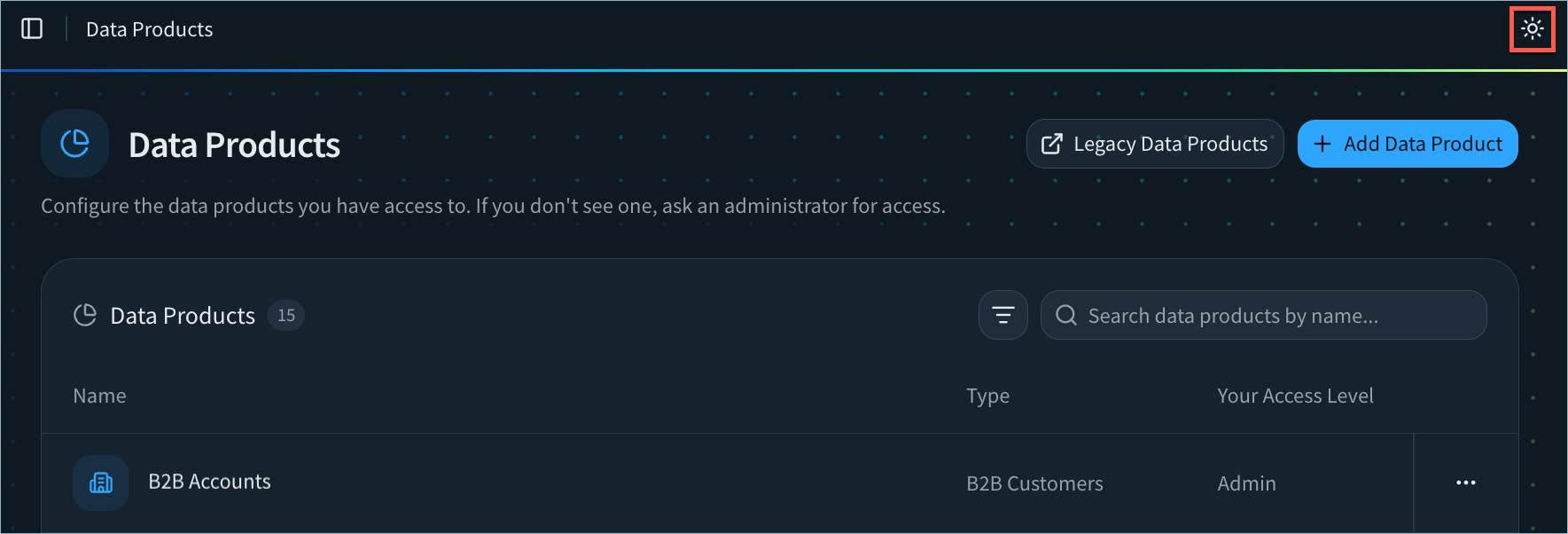
Dark Mode Support
Prefer dark mode? You can switch easily between light mode and dark mode.
Section Links on 360 Pages
Quickly navigate 360 pages using new section links.

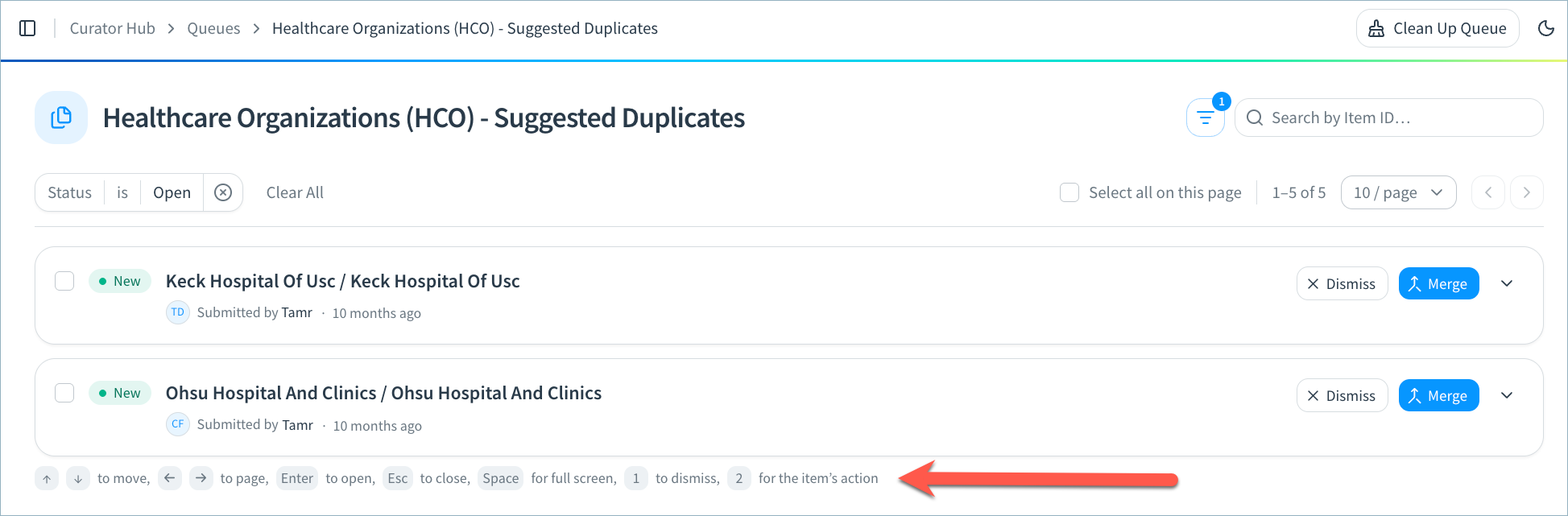
Keyboard Shortcuts for Curation Queues
Curators can use keyboard shortcuts to move between queue items, dismiss or apply suggestions, and more!
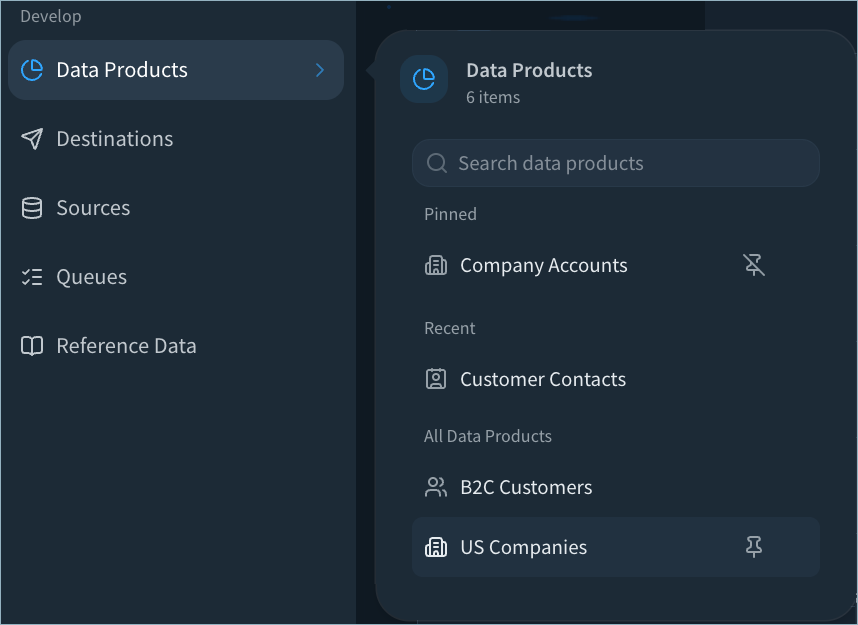
Improved Data Product Navigation
From the Data Products menu, you can search by data product name and pin your most important data products.
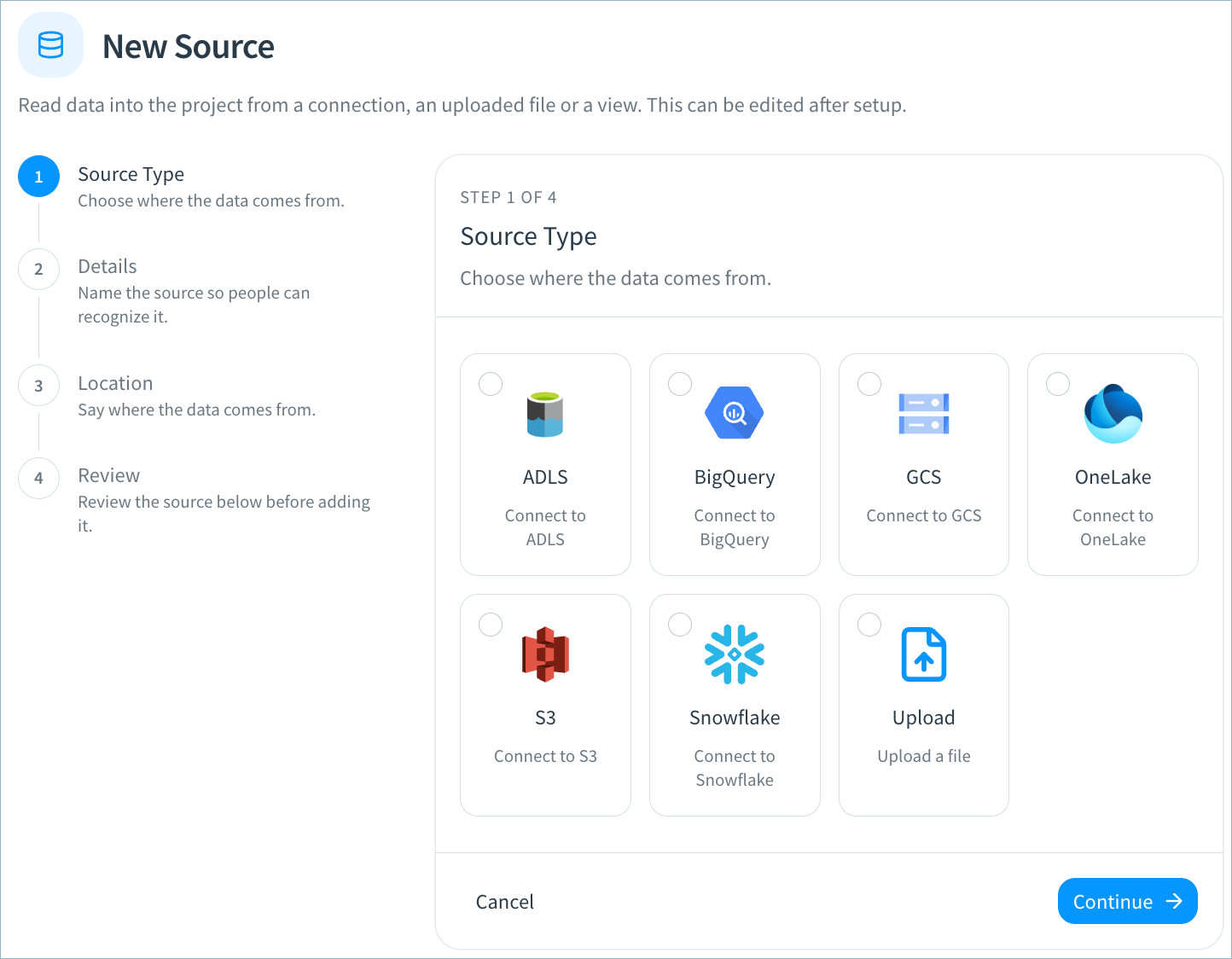
Improved Step-by-Step Configuration
You’ll find an improved, step-by-step experience for creating and updating connections, sources, destinations, and webhooks.
Set Consolidation Rules for Individual Address, Phone, and Email Types
You’ll soon be able to set consolidation rules for individual address, phone, and email types. You can configure both the default rule for all address, phone, or email types, and a separate rule for each type.
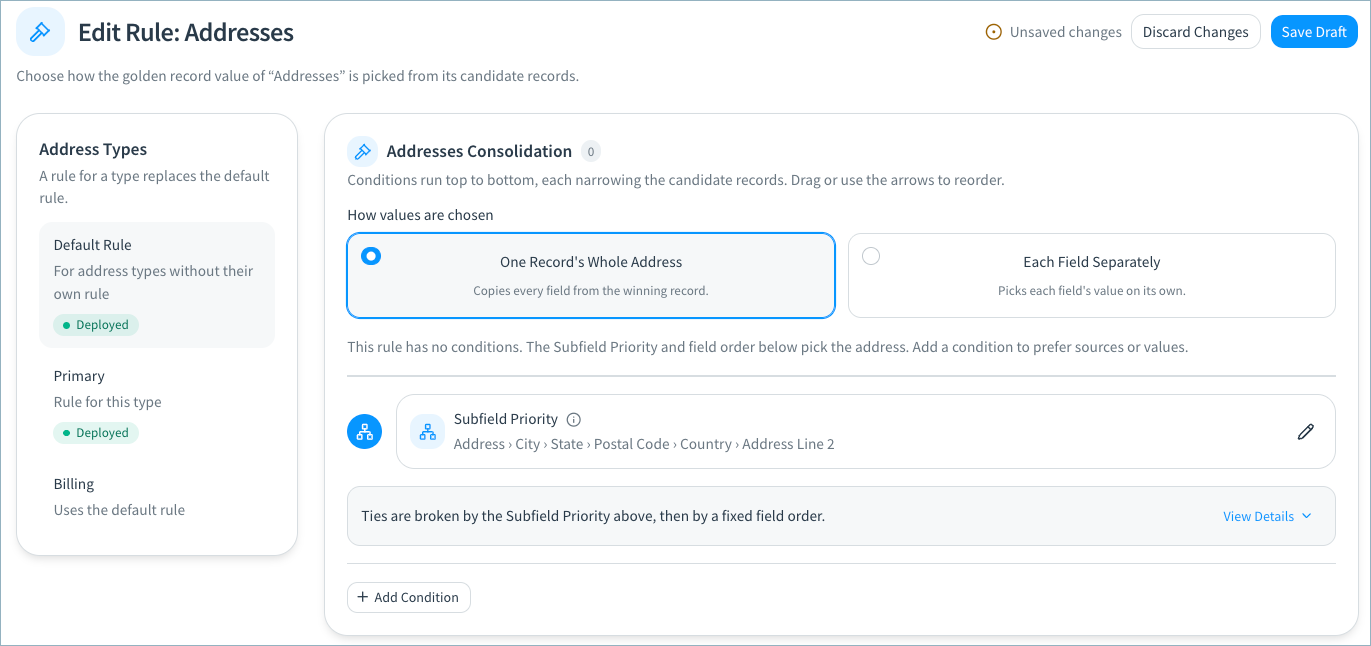
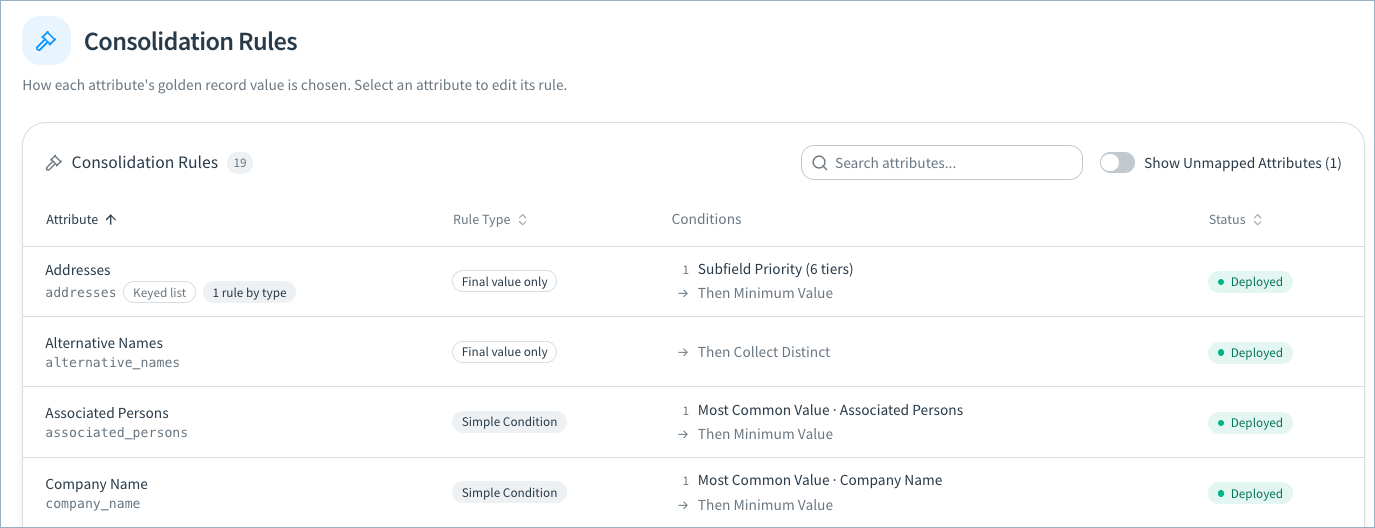
In addition to this new functionality, we’re improving the Consolidation Rules page user experience. The attributes table will provide a quick overview of:
- Rule type (new): The highest priority condition type (source priority, simple condition, and so on) and the number of additional conditions.
- Conditions: A summary of all conditions defined in the rule. You no longer have to expand the rule to see this summary.
- Status (new): Whether the rule has been deployed or if it has pending draft changes.
More Upcoming Features
These features will be released over the coming weeks for RealTime data products:
- Include these golden record metrics in your curation and destination views: source record count, source system count, and uniformity scores.
- The new AutoMap Agent in schema mapping uses fuzzy match to quickly map your source attributes to the data product schema. AI must be enabled on your tenant in order to use this feature.
Bug Fixes and Other Improvements
- Resolved an issue on the 360 page in which the Additional Attributes section was not available to Viewers.
- Resolved an issue in which RealTime data products did not accept source fields using a non-string data type, resulting in failed validation. Default fields are now converted to string when added to a RealTime data product. Custom fields are now converted to string if you select String as the data type.
- When you deploy schema mapping or record consolidation changes in RealTime data products, the confirmation dialog now reminds you to run the Reconsolidate workflow to apply these changes to your golden records. A similar message is also shown in the Workflows section.
- Added general usability, styling, and performance improvements.