
Product Update May 1, 2026
We're excited to announce Connection roles and improvements to limited release data products, as well as a number of new features coming soon - including a new Tenant Operator role, Curator Hub and curation queue enhancements, and a new Queues API.
Connection Roles
In case you missed our announcement, new Connection roles enable you to more finely control which users can access your data connections. See Connection Roles.
Limited Release RealTime Data Product Updates
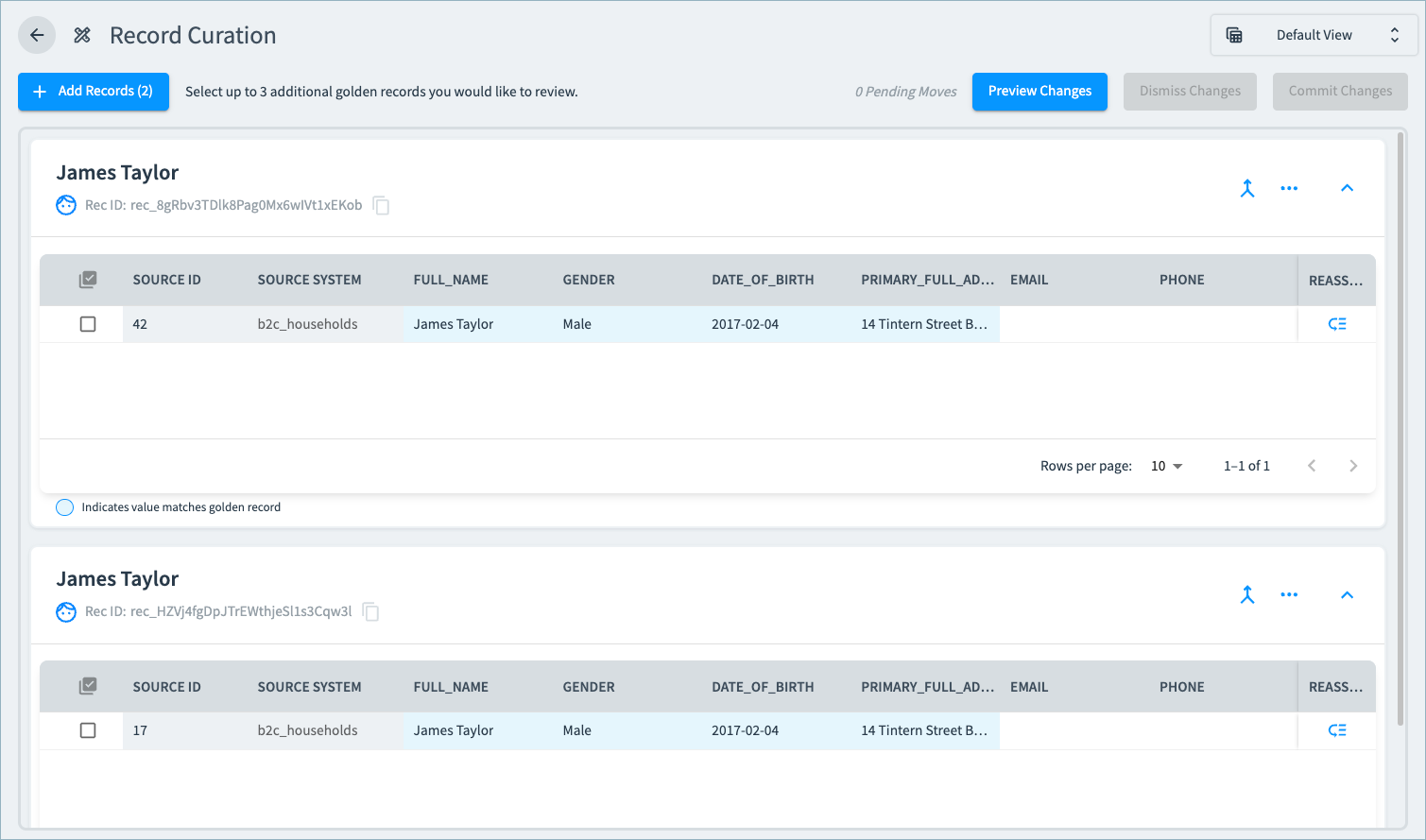
Golden Record Curation
For all limited release RealTime data products, you can now curate golden records and their associated source records from the Curator Hub Records table. See Curating RealTime Data Product Results.
Healthcare Providers License Consolidation Improvement
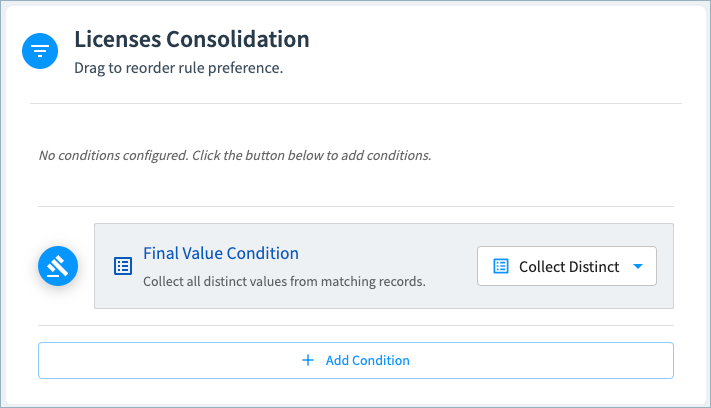
In our limited release RealTime Healthcare Provider data product, the default record consolidation rule for Licenses is now Collect Distinct in new data products. With this rule, all license numbers and related attributes are included in your results. For existing data products, you can choose Collect Distinct as the final value condition for Licenses. See About the RealTime Healthcare Providers Data Product.
Coming Soon!
Look for these features in the coming weeks.
Tenant Operator User Role
We’re continuing to expand and improve our user permissions model with the upcoming introduction of a Tenant Operator role.
Grant this role to users to allow them to manage specific system settings without allowing them access to users, project data, or project resources.
By default, tenant operators can:
✅ Create and fully manage connections
✅ Create and fully manage webhooks
✅ Create and delete projects, and edit project metadata
By default, these users cannot :
❌ Manage users, groups, or API keys
❌ Assign user permissions for projects, data products, or other resources
❌ Access any project resources, including sources, data products, publish configurations, workflows, and so on.
❌ View 360 pages or otherwise access data product data.
You can grant tenant operators additional permissions in specific connections, projects, and data products as needed.
Curator Hub and Curation Queue Enhancements
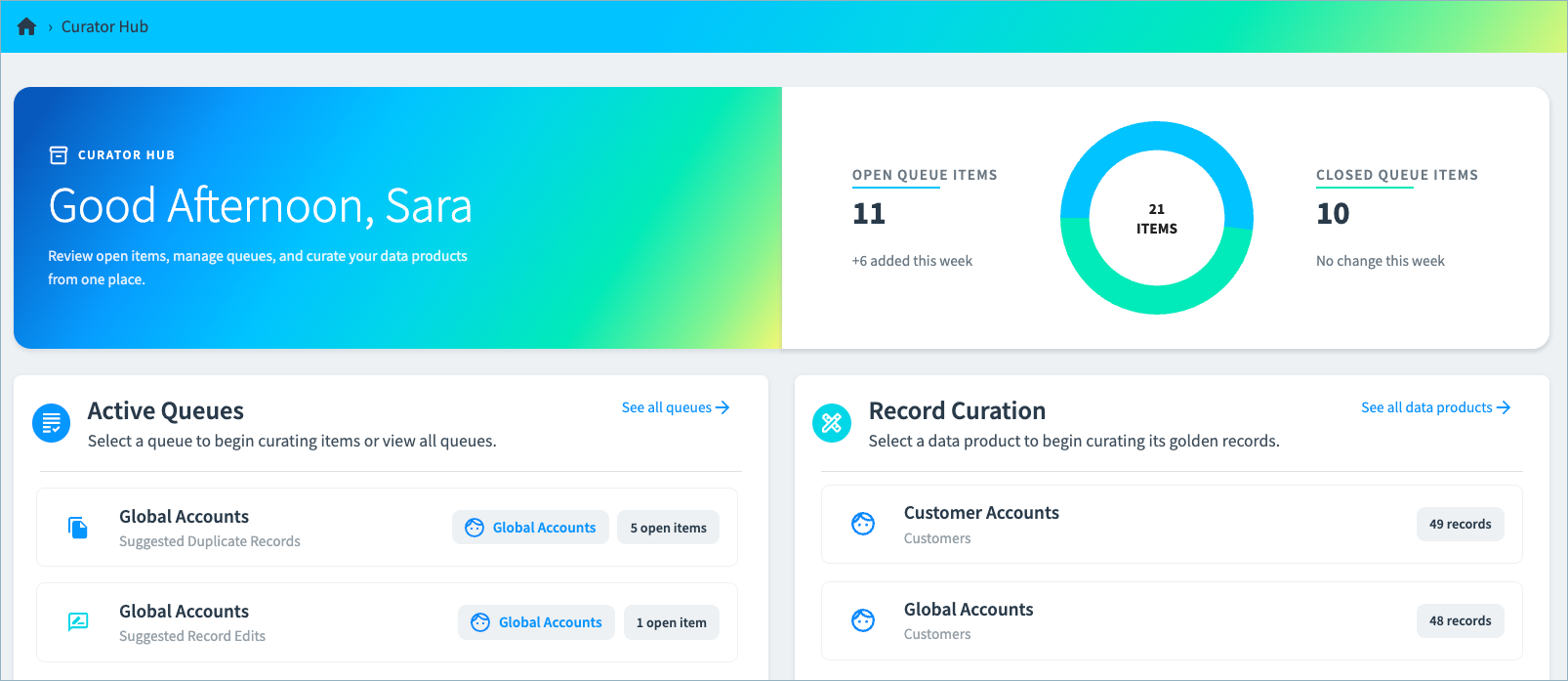
Curator Hub Landing Page Upgrade
We’ve improving the Curator Hub landing page! You’ll be able to quickly:
- Get insight into the number of open curation items across all data products in the project.
- Quickly access curation queues and golden record tables.
Improved Match Explainability
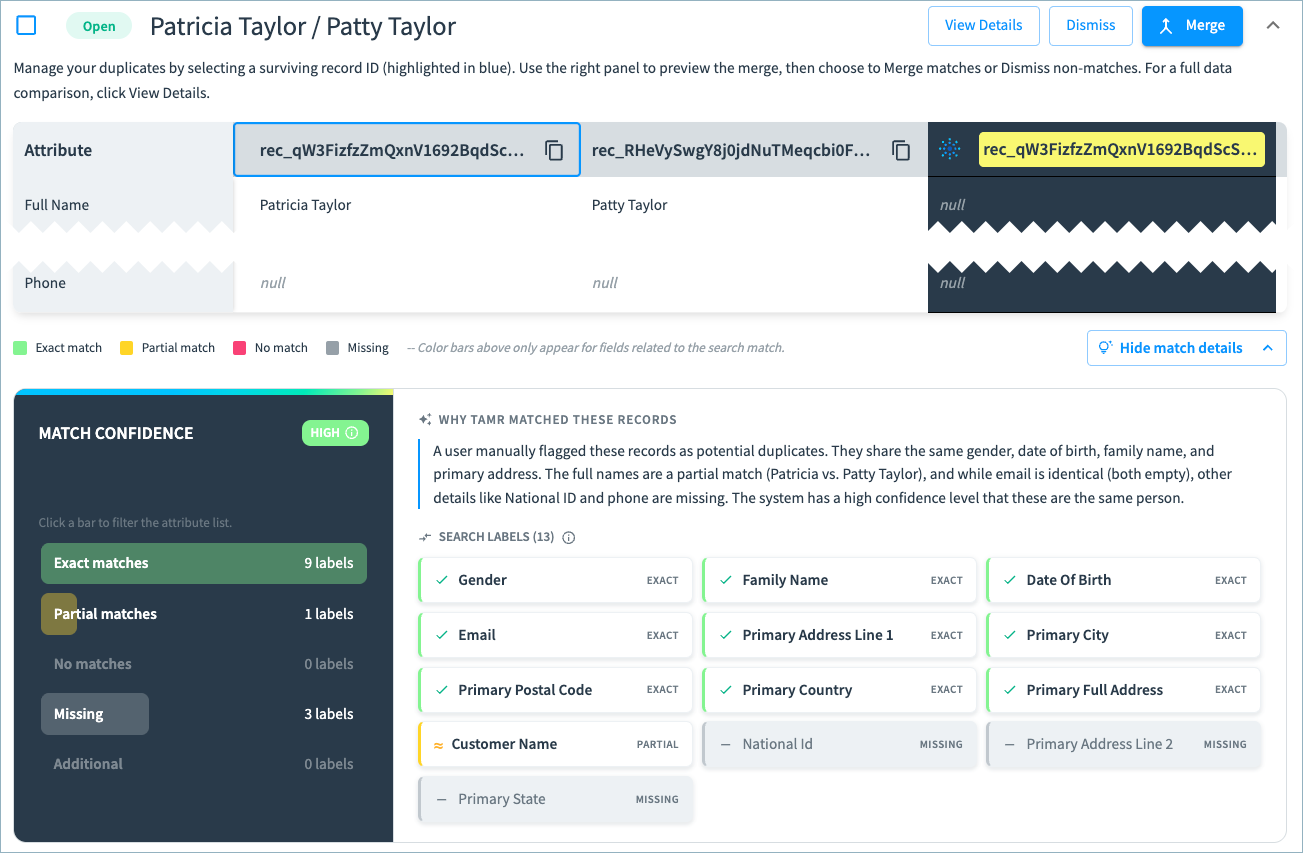
For suggested duplicate items, you’ll find more details explaining why two records are flagged as potential duplicates. Expand match details to see the match confidence and the specific search labels on which the record matched and partially matched - and our new AI summary explains the match in user-friendly language.
More Options for Filtering Curation Queues
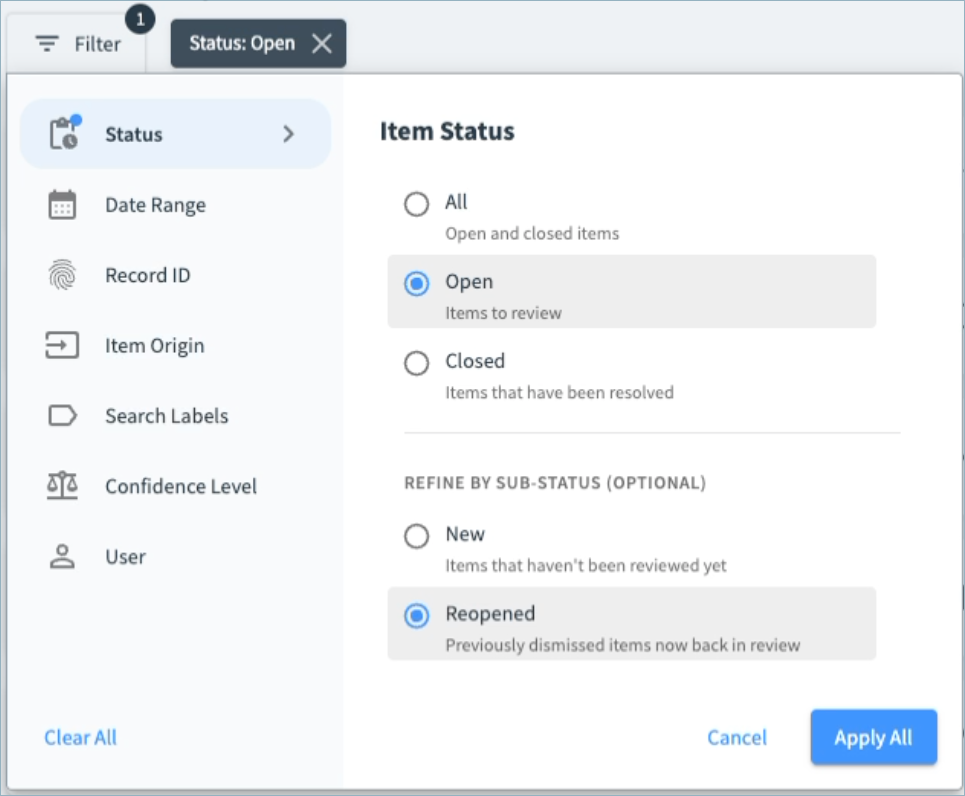
We’re adding more queue filters to help you pinpoint exactly what you need to review faster than ever.
You’ll be able to refine status filters by sub-status.
When filtering to Open items, you can choose to filter to:
- All open items
- Only new items
- Only items that have been reopened for further review
When filtering to Closed items, you can choose to filter to:
- All closed items
- Only items that have been dismissed without action
- Only items on which action was taken - either records were merged or a value edit was applied
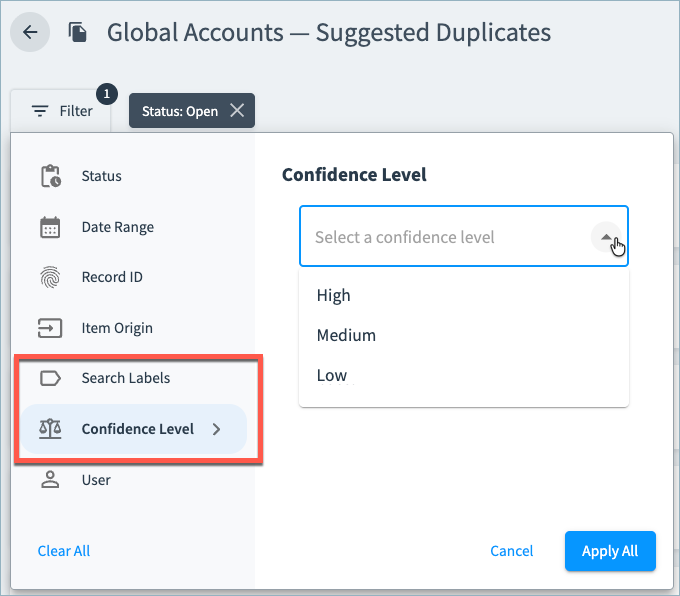
You’ll also be able to filter suggested duplicates based on confidence scores and search labels.
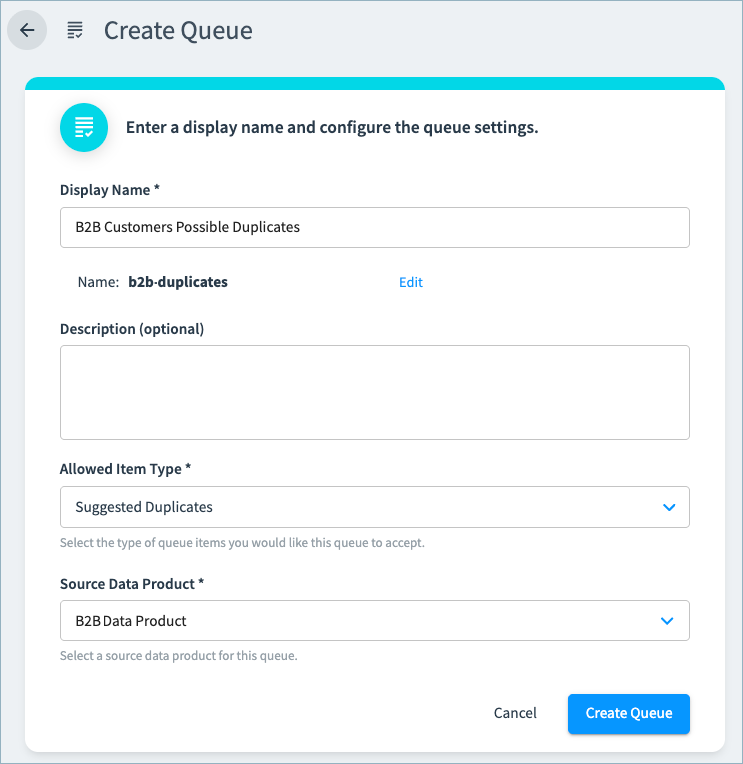
Configurable Curation Queues
You’ll find a new Queues option in the navigation menu, from which you can create and manage your curation queues. You can specify whether the queue is used for suggested duplicates or suggested edits, and associate the queue with a data product.
Users will only have access to the queues associated with the data products they can access.
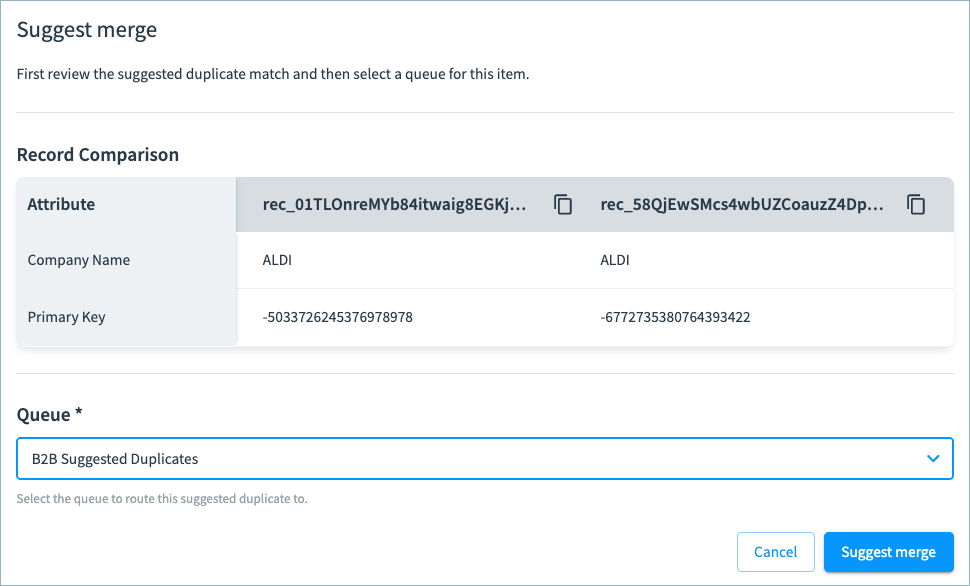
These queues are then available from the Curator Hub landing page, and users can select the appropriate queue when suggesting record merges or edits from the 360 page.
Queues API and Event Notifications
With our new Queues API, developers will be able to create and manage curation queues and queue items programmatically.
You’ll be able to configure webhooks to receive curation event notifications for new and resolved curation items.
Bug Fixes and Other Improvements
- All customers using B2B Customers data products now receive premium company validation automatically; Tamr validates your companies against both public and premium datasets. To streamline the configuration experience, we removed the Company Validation section on the Configure Data Product page.
- General usability, styling, and performance improvements.