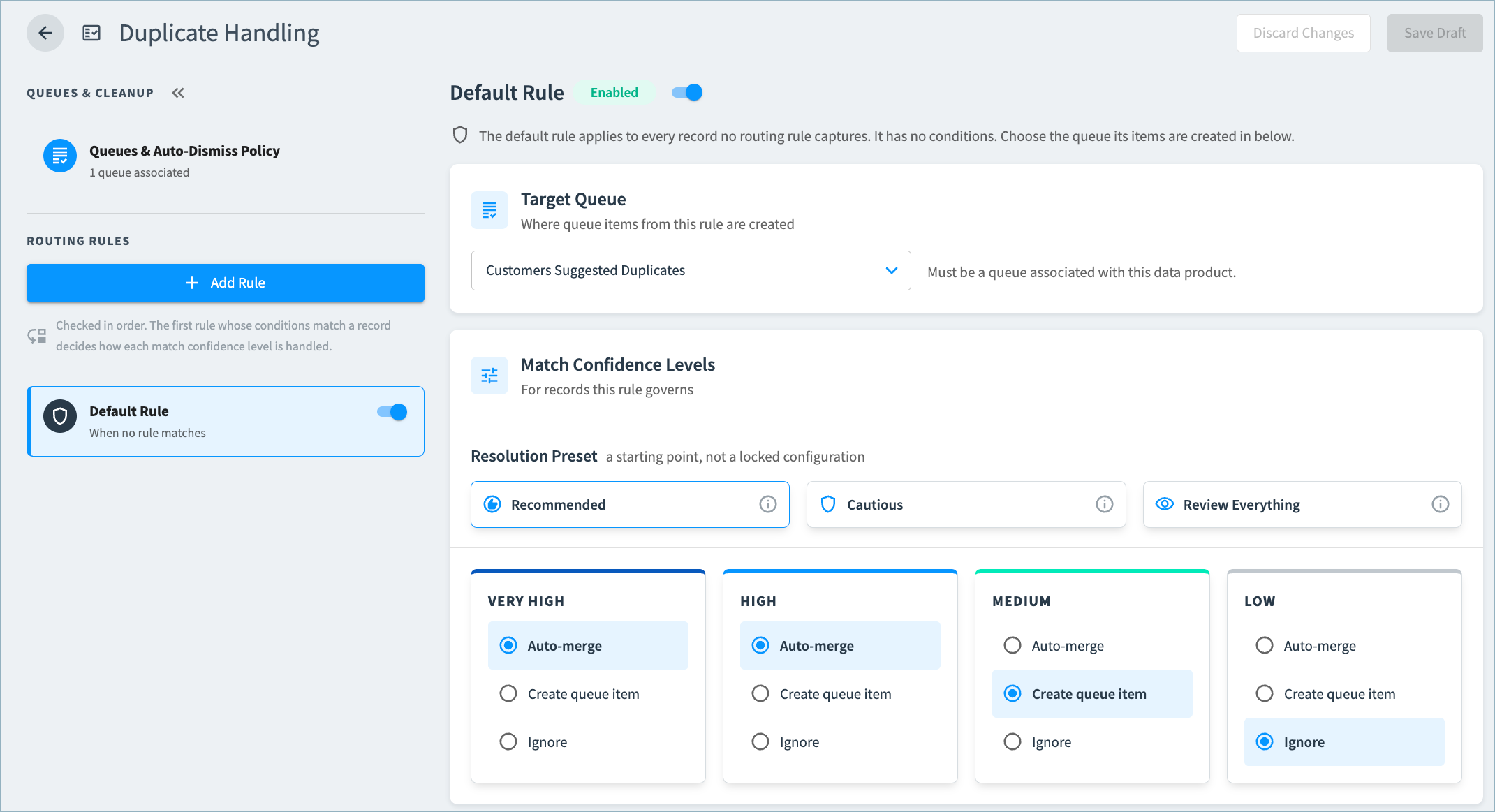
What's New: Configure Duplicate Handling
25 days ago
In new RealTime Data Products, you can now fully control how Tamr handles possible duplicate records.
In the new Duplicate Handling page in data product configuration, you can:
- Choose the default merge behavior for your data product and decide how to handle suggested duplicate records based on match confidence levels: merge them automatically, send them to a curation queue for review, or ignore them.
- Create multiple suggested duplicate queues to apply different duplicate handling rules to different kinds of records.
- Route suggested duplicates to specific curation queues based on attribute values (for example, send high priority accounts or records from a specific region to separate queues).
- Automatically dismiss stale queue items to help curators focus only on relevant items.
See Configuring Duplicate Handling for more information.