
What's New: Connection Roles
With connection roles, you can now more finely control which users can access your data connections.
Connection admins can select this connection when adding source data and configuring publish destinations. If this user is also a tenant editor or admin, they can edit and delete the connection.
Connection editors can add source data from a connection. They can also select the connection when configuring data publish.
Connection viewers can view and use the sources added through a connection. They can run publish jobs configured with that connection. They cannot, however, add new source data from that connection or set up a new publish configuration using that connection.
Users without a connection role can view and use sources added through the connection. They cannot, however, add new source data from that connection. They also cannot set up a new publish configuration using that connection or run publish jobs using that connection
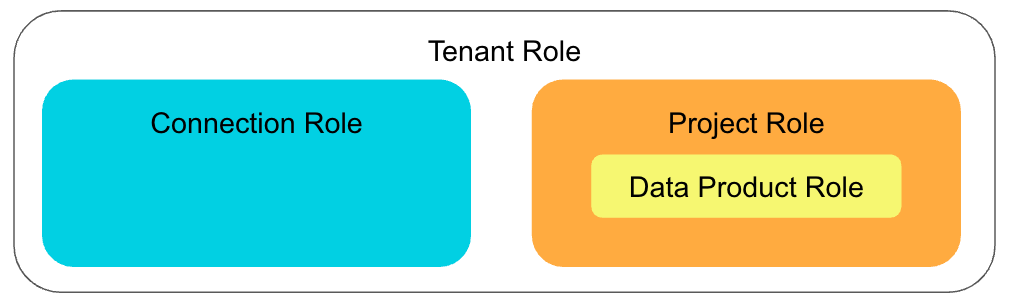
User inherit connection roles from their tenant role, as follows:
- Tenant Admins: Connection Admin
- Tenant Editor: Connection Editor
- Tenant Viewer: Connection Viewer
- No Tenant Role: No Connection Role
Project and data product roles continue to control the projects and data products a user can access, and the actions they can perform on those resources.
See User Roles and Permissions, Connection Roles, and Managing Connection Permissions for full details.