
Product Update November 6, 2026
We're excited to announce the new Tamr MCP Server, record ID filtering in 360 page Feedback, and API improvements - and to share a sneak peek at upcoming new features!
Tamr MCP Server Now Available
The Tamr Model Context Protocol (MCP) server allows your AI agents, including Claude, ChatGPT, and Gemini, to work directly with your Tamr Cloud data.
By connecting your MCP client to your Tamr Cloud tenant, you can:
- Browse projects and tables: List your tenant's projects and the tables in each, and inspect a table's schema.
- Search and retrieve records: Fuzzy, entity-resolution-aware search across any table you have access to, exact-match lookups by field value, and direct record lookups by ID.
- Trace history and relationships: Pull a record's change history or see what it's connected to (contacts, subsidiaries, related entities), including across tables.
- Suggest corrections and merges: Propose an edit to a record, or propose merging two duplicate records. Both go to a curation queue for a data steward to review.
- Work your curation queues: Find queues, list items pending review, and apply or dismiss them.
- Monitor data pipelines: Check whether loads, data product refreshes, and publishes are running, succeeded, or failed.
See About the Tamr Cloud MCP Server for full details!
Filter by Record ID in 360 Page Feedback Section
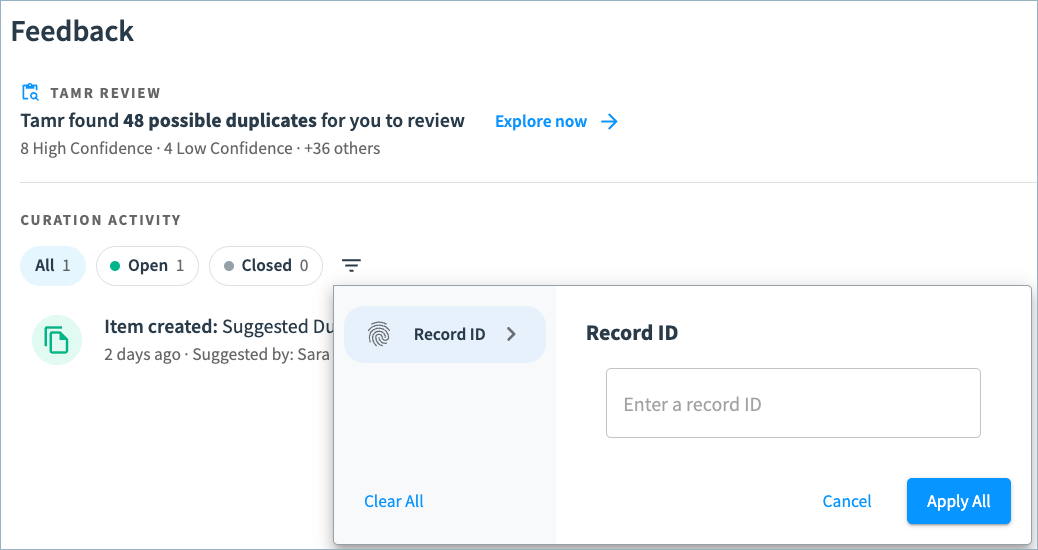
You can now quickly filter curation items and possible duplicates by record ID in the 360 page Feedback section.
Filter by a record ID in the Curation Activity section:
After selecting Explore now to review all possible duplicates, you can filter the suggestions by record ID:
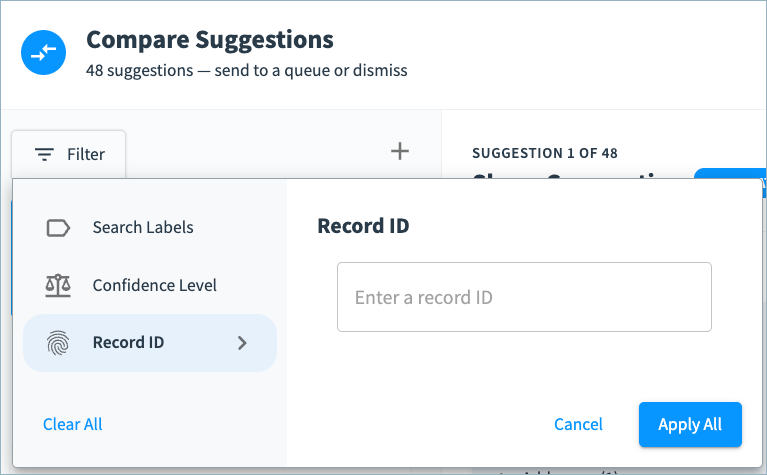
See Suggesting Record Merges to learn more about using the Feedback section.
API Updates
We’ve made a number of additive updates to the Tamr Cloud API.
Search API
Use the new get model schema endpoint to return the JSON schema of the attributes used in a specified matching model. See the Search Changelog for more details.
Relationships API
Use the new dryRun parameter when creating and updating relationships to preview changes before you commit them. Additionally, new metadata objects are returned in the get relationship type and list relationship types responses. See the Relationships Changelog for more details.
Coming Soon! Dark Mode and More
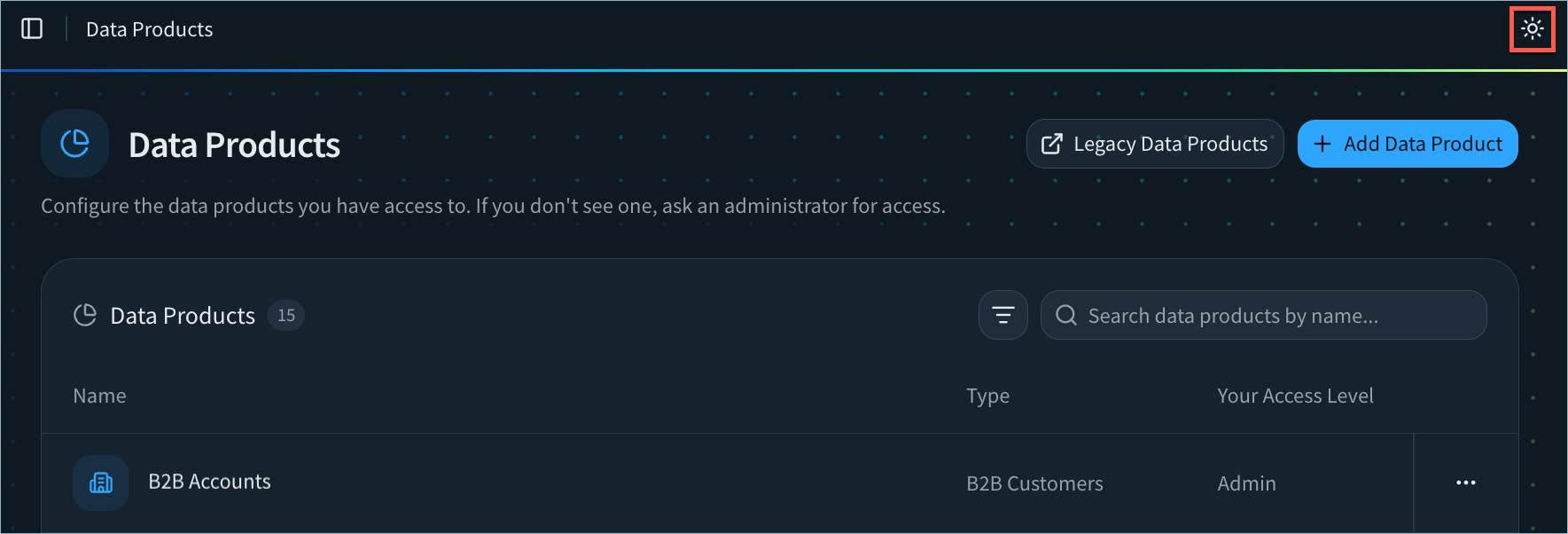
The Tamr Cloud UI is getting an upgrade! Take a sneak peek at some of the key improvements in our updated, more consistent user experience - without changes to product navigation.
Dark Mode Support
Prefer dark mode? You can switch easily between light mode and dark mode.
Section Links on 360 Pages
Quickly navigate 360 pages using new section links.

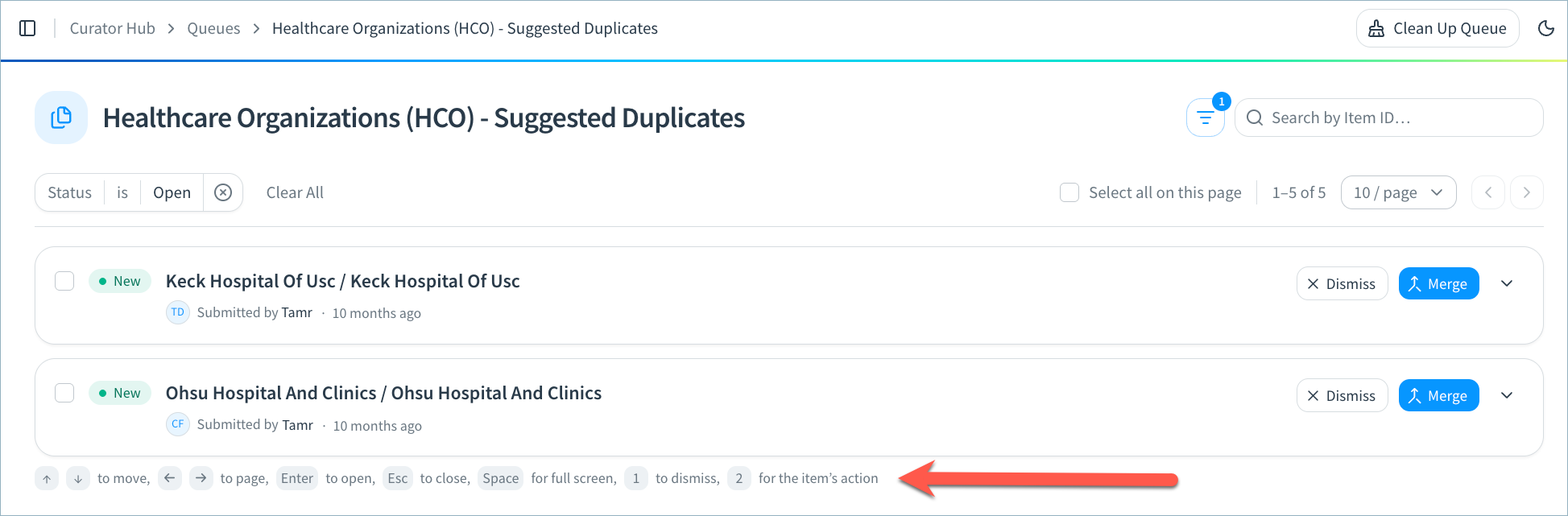
Keyboard Shortcuts for Curation Queues
Curators can use keyboard shortcuts to move between queue items, dismiss or apply suggestions, and more!
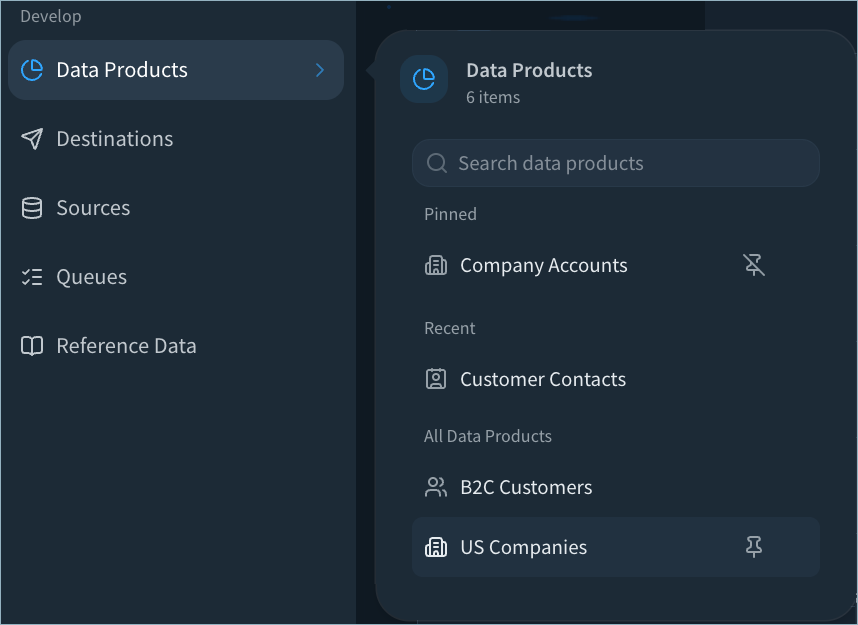
Improved Data Product Navigation
From the Data Products menu, you can search by data product name and pin your most important data products.
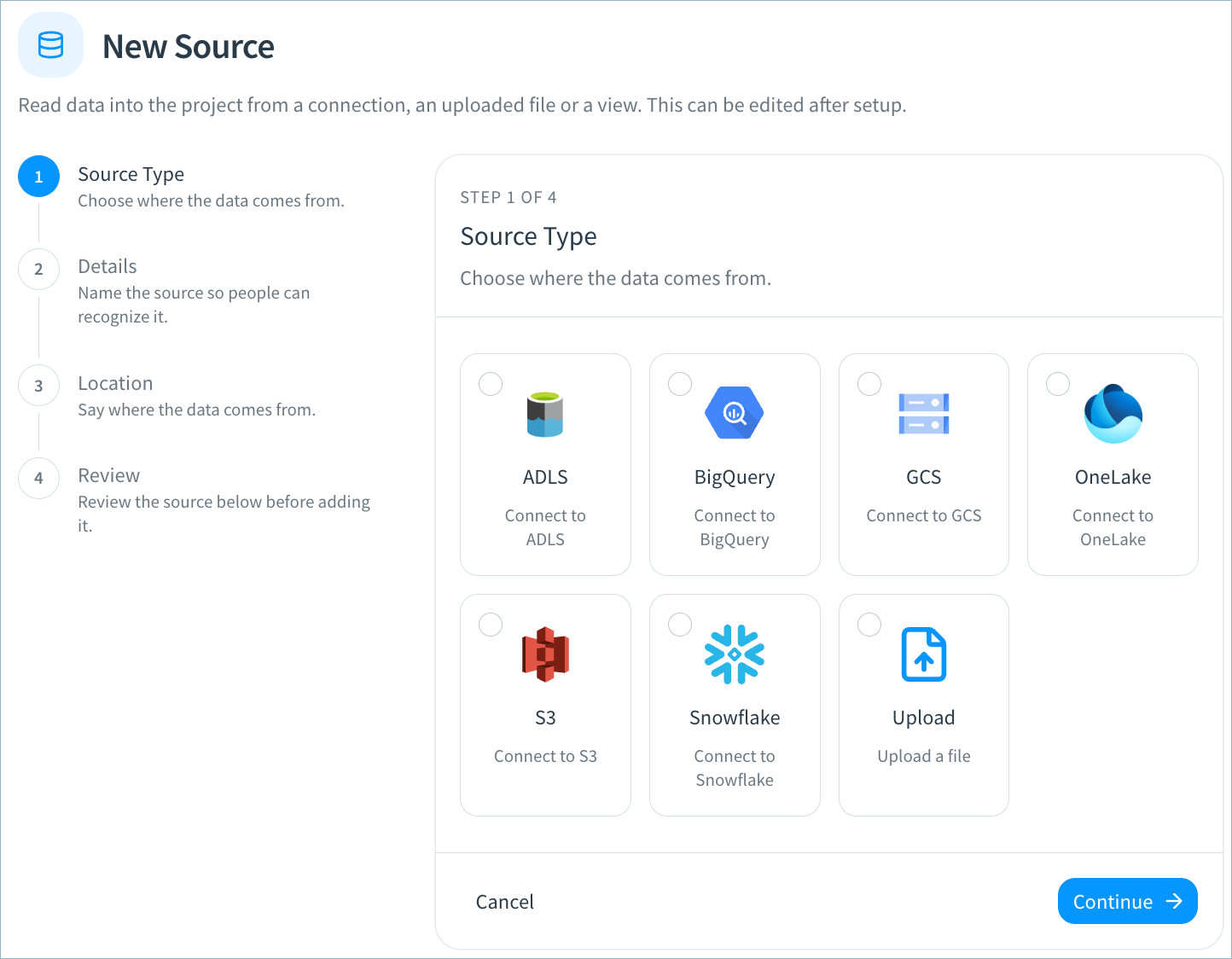
Improved Step-by-Step Configuration
You’ll find an improved, step-by-step experience for creating and updating connections, sources, destinations, and webhooks.
More Upcoming Features
These features will also be released over the coming weeks for RealTime data products:
- Set consolidation rules for individual address, phone, and email types.
- Include these golden record metrics in your curation and destination views: source record count, source system count, and uniformity scores.
- The new AutoMap Agent in schema mapping uses fuzzy match to quickly map your source attributes to the data product schema. AI must be enabled on your tenant in order to use this feature.
Bug Fixes and Other Improvements
- Added general usability, styling, and performance improvements.