
Suggesting Record Merges
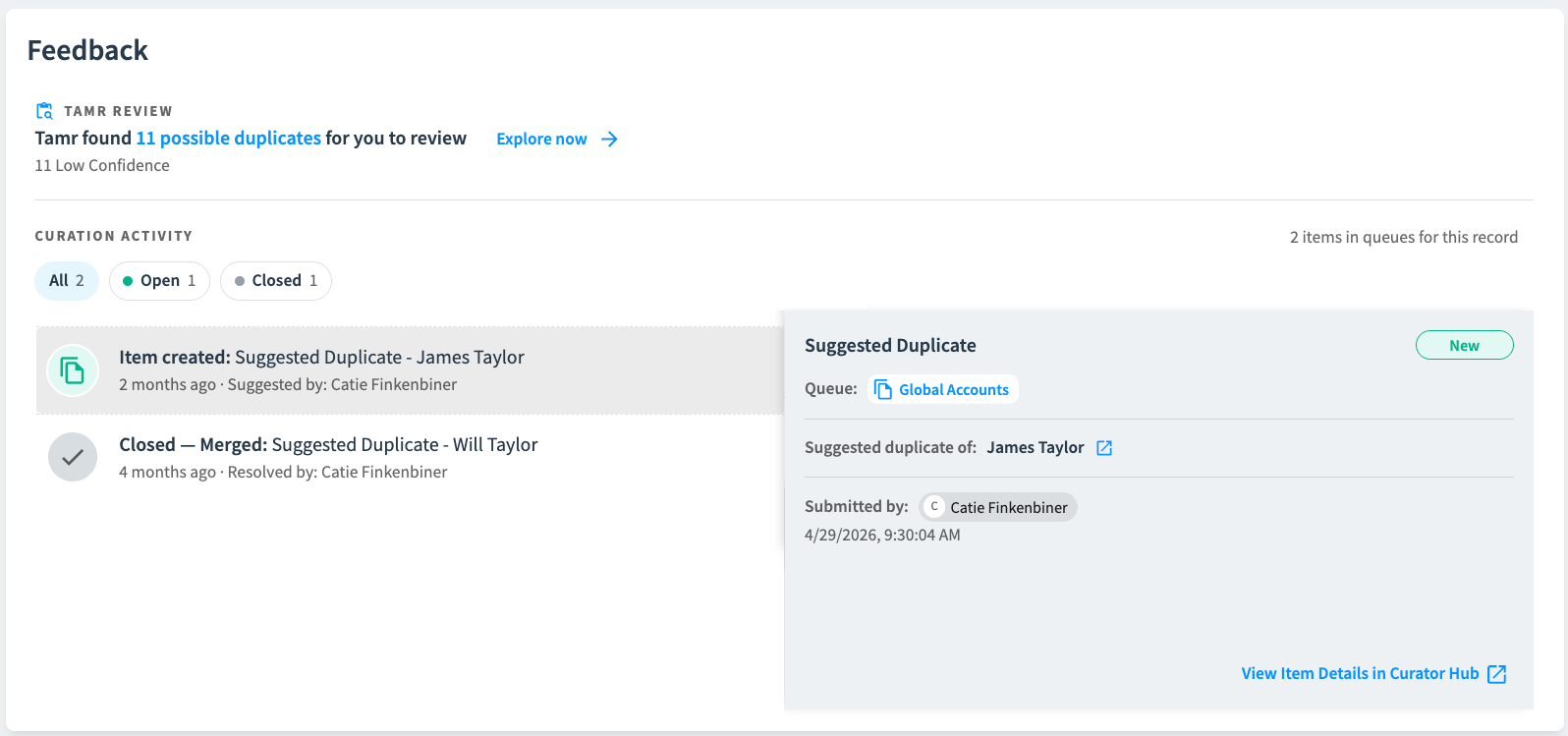
In the Feedback section on 360 pages, users with the contributor or higher queue role can:
- Quickly see all open and closed curation items for the record.
- Review all possible duplicates in detail.
- Suggest merges between records - adding an item in the curation queue for further review.
Users with the curator or higher queue role can also:
- Dismiss these possible duplicates.
- Navigate directly to items in the curation queue.
To review suggested duplicates and suggest merges:
- Select Explore now in the Feedback section to review and compare all possible duplicates for this record.
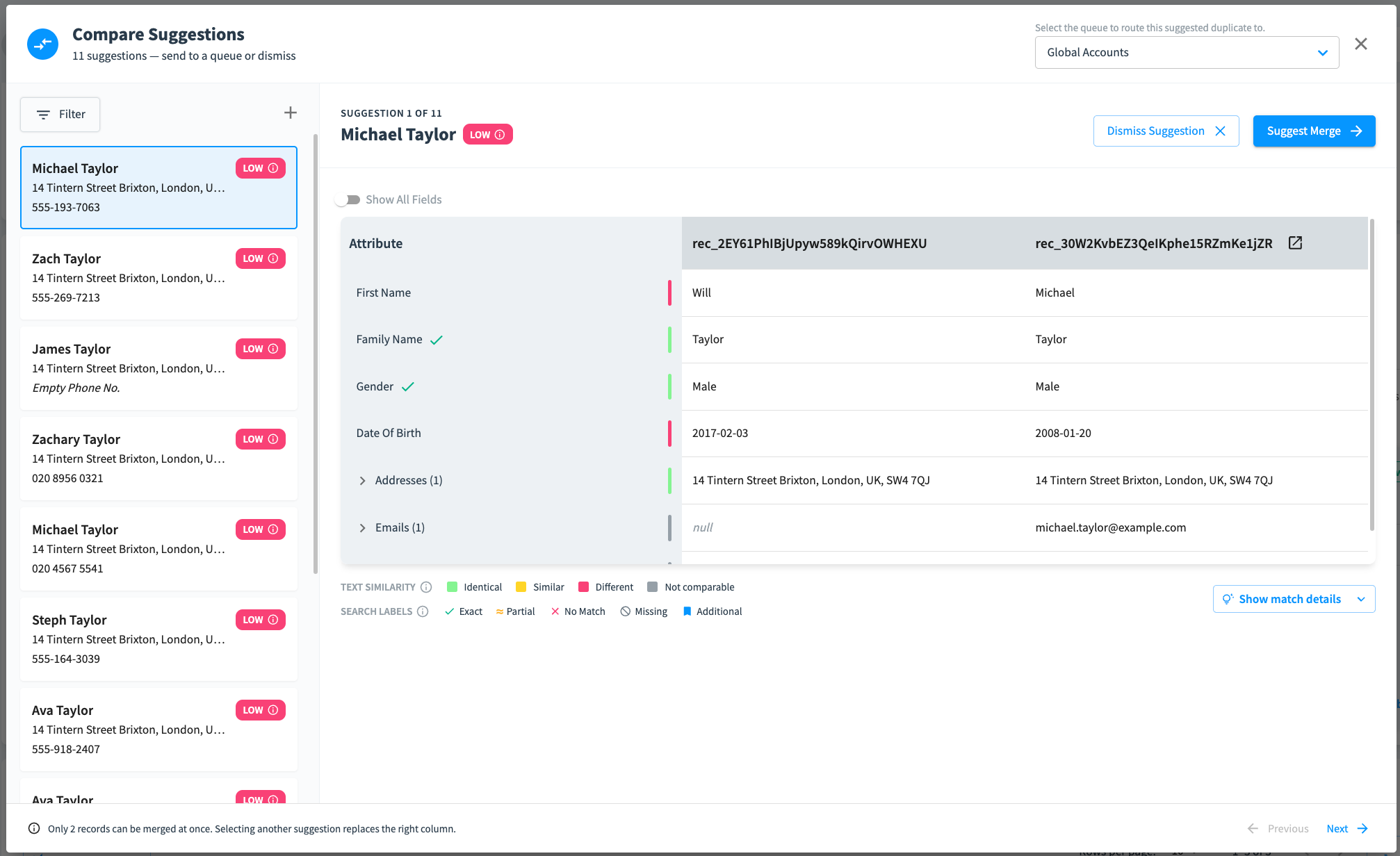
- Select an item in the list to compare the records. You can select Show match details to view the detailed analysis of why these two records may be duplicates.
- Select the suggested duplicate queue to which to route the suggested merge. Select Suggest Merge to add an item in that queue for further review.
- Select Dismiss Suggestion to remove it from the possible duplicate list (requires curator or higher permission).
Updated about 2 months ago
Did this page help you?