
Product Update August 7, 2026
Our latest product updates help you understand your source data, review duplicates with more precision, and confidently configure and navigate RealTime data products.
Improved Source Records Section on 360 Pages
We improved the styling and functionality of the Source Records section on 360 pages for all data products.
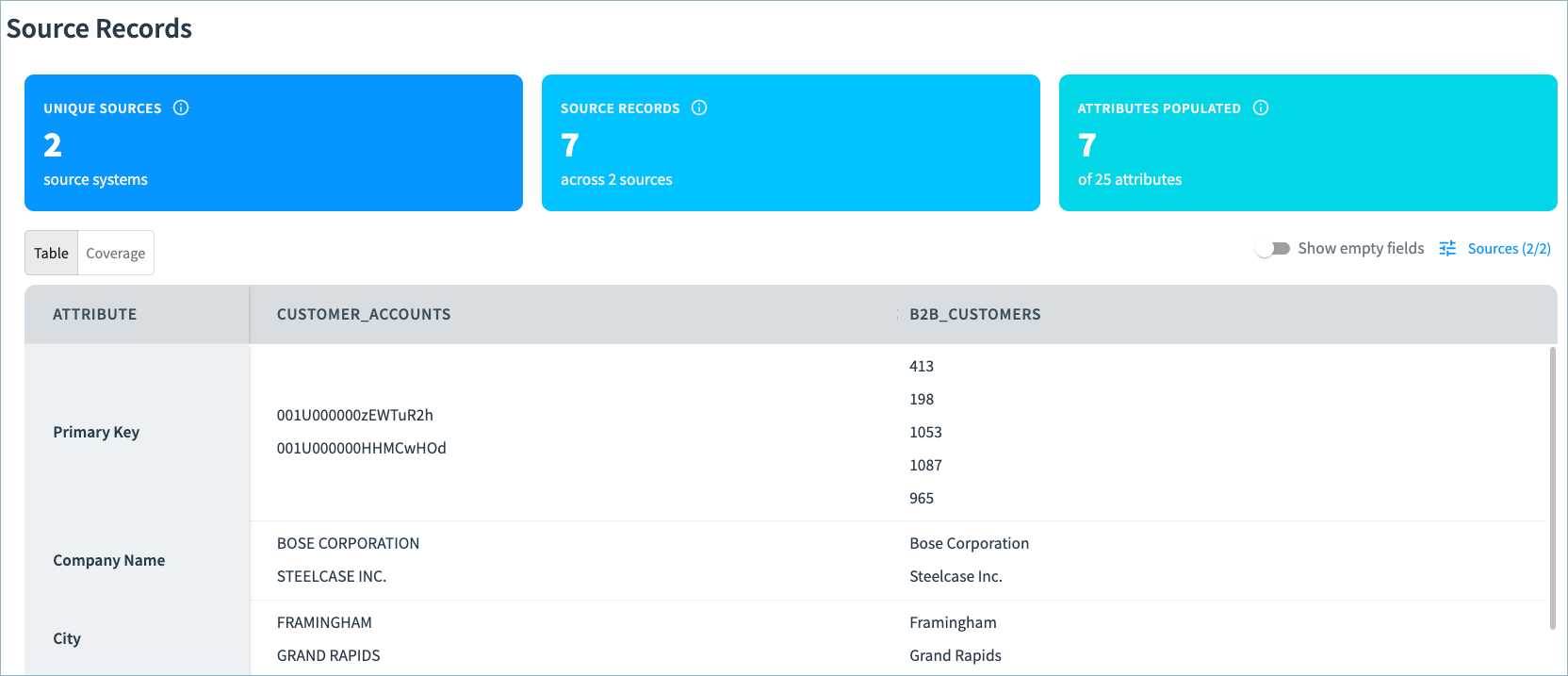
Can filter which data sources to view. In the new Coverage tab, gain insight into the completeness of your source record data and easily compare attribute values by source.
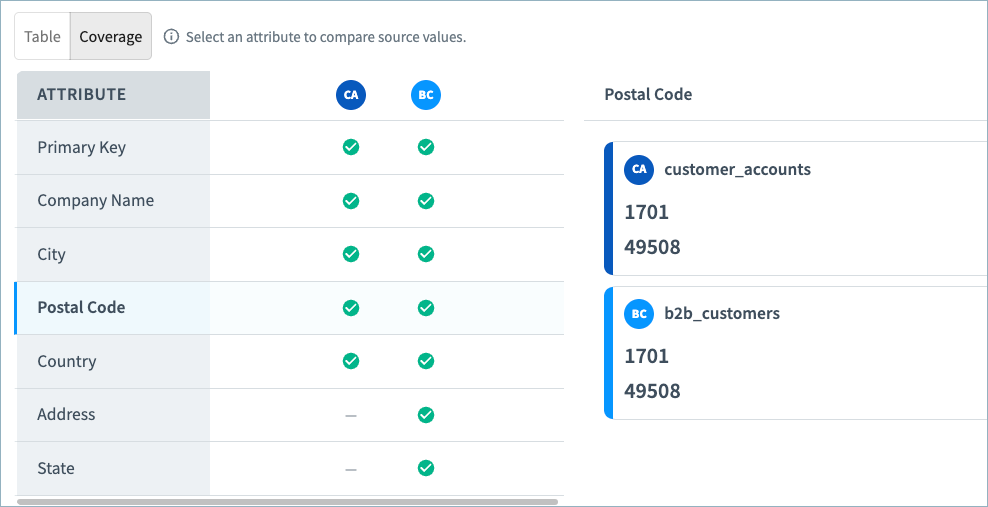
See Viewing Data Product Data for more information about 360 pages and the Source Records section.
Curator Hub: Improved Suggested Duplicate Queue Filtering
Filtering in Curator Hub
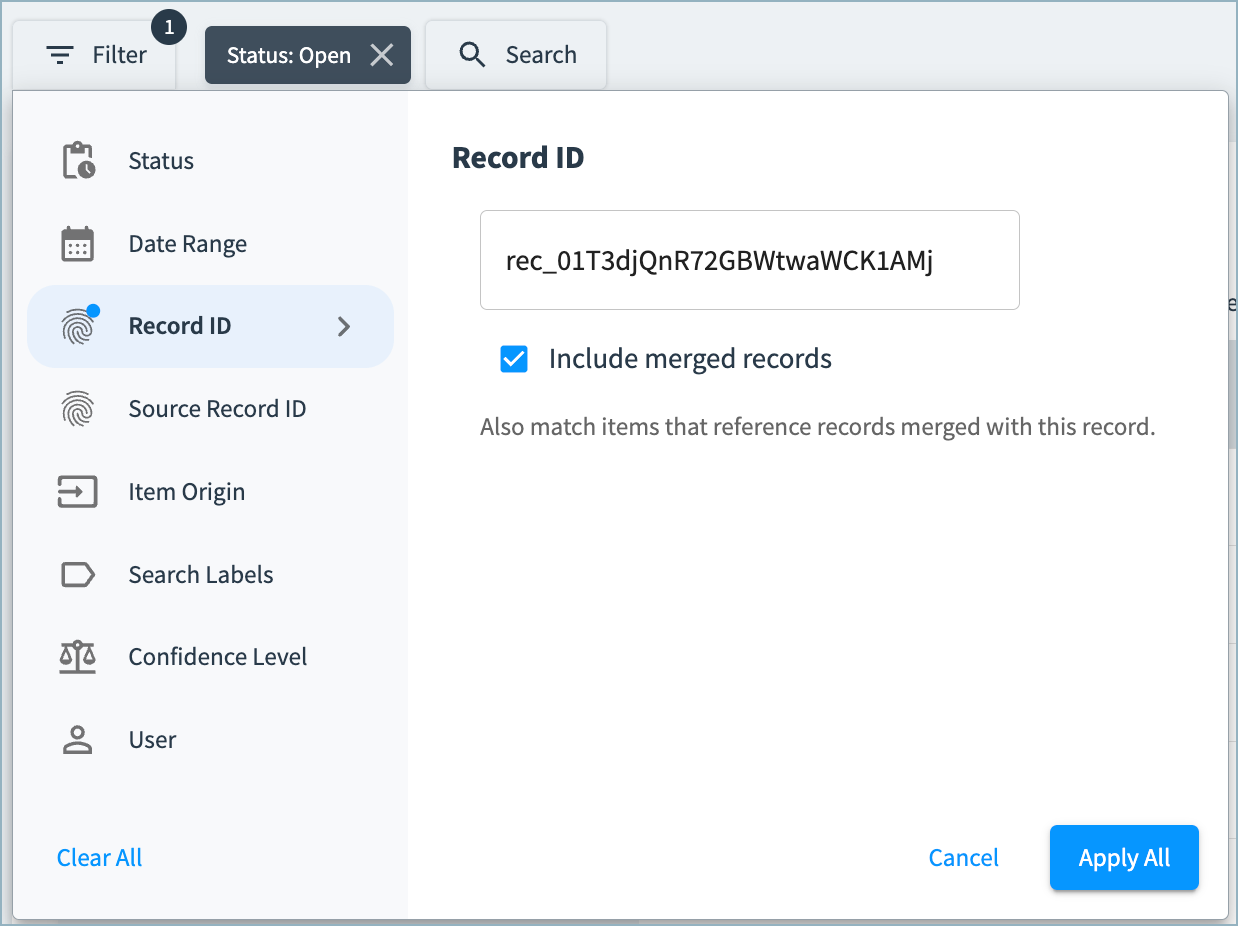
In Curator Hub suggested duplicates queues, you'll find a new option when filtering to a specific record ID. You can now choose whether to include records that have merged with the specified record ID in the filtering results.
Filtering in the Queues API
In the Queues API, we updated list items endpoint to include filtering criteria. A new optional filter body object is available, allowing you to filter by record IDs, status, and table ID. You can also choose whether to include merged records in the list.
New RealTime Data Product Features
These features are now available in limited release RealTime data products.
Tune Your Match Results with Match Rules
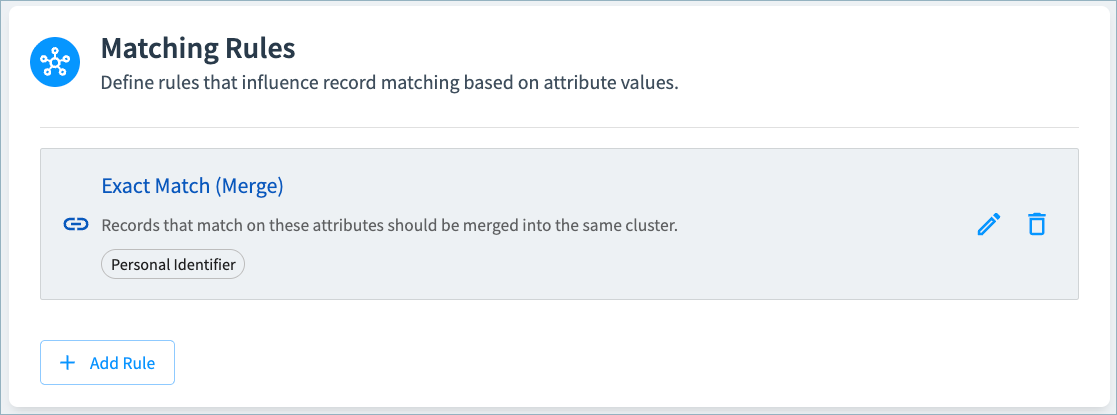
Match rules rules deterministically identify records that should or should not be matched together based on matching or non-matching values in specified attributes.
For example, you might want records with the same Personal Identifier value to be matched into the same cluster, as shown below.
You can create the following types of rules:
- Exact Match (Merge): If records have matching non-null values for the selected attributes, they will be clustered together.
- Mismatch (Split): If records have different non-null values for the selected attributes, they will not be clustered together.
- Both: Apply both exact match and mismatch rules to ensure that all records in a cluster have the same or null value for the selected attributes.
If you add multiple rules, the rules higher in the list take precedence over the rules lower in the list.
See Configuring Matching Rules.
Calculate Uniformity Scores
Uniformity scores (High, Medium, Low) indicate the similarity of clustered source record values to the golden record values, and can help curators identify clusters requiring further review and refinement. These scores are available in the Source Records section on 360 pages.
You can configure an overall uniformity score for the cluster, choosing which attributes to include in the calculation. You can also calculate uniformity scores for selected individual attributes.
In the example below, Full Name and Personal Identifier are included in the overall uniformity score. An individual uniformity score is calculated for the Personal Identifier field. Curators may want to investigate clusters with low uniformity to verify that all records in the cluster represent the same entity.
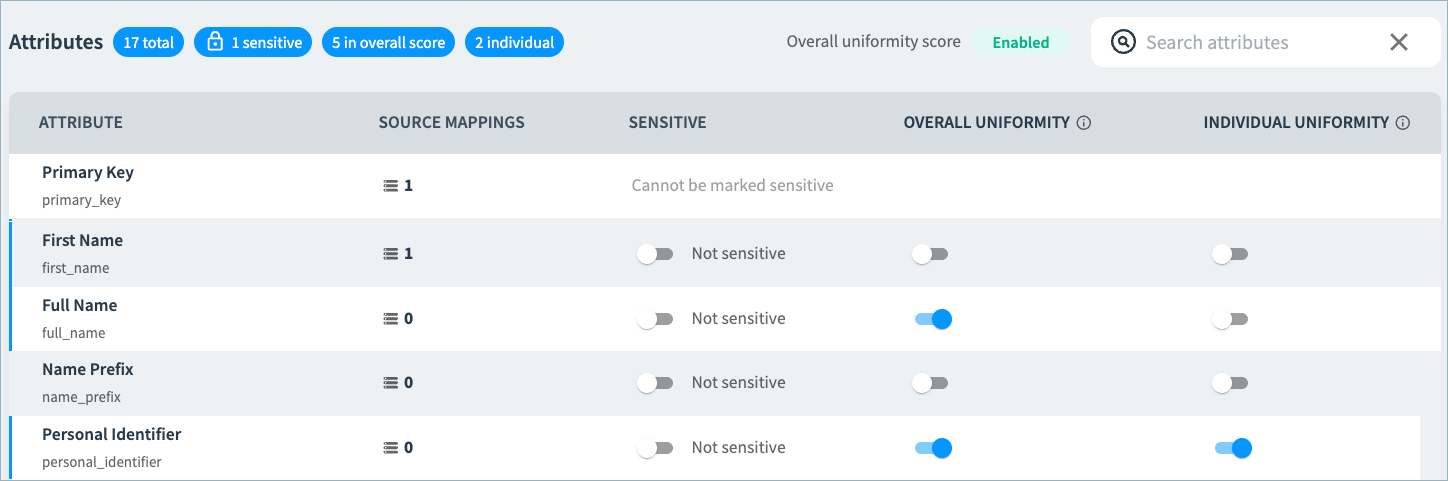
See Configuring Uniformity Scores.
New Workflows for Onboarding Data Sources and Deduplicating Your Data
With the new Onboard Records workflow, you can easily add new data sources to your RealTime data products. With this workflow, a golden record is created for each source record.
You can then run the new Review workflow to identify duplicate records. High confidence matches are automatically merged, while medium confidence matches are routed to the Suggested Duplicates queue for curator review.
Note: The Review workflow requires additional setup by Tamr before it can be run.
See About Workflows for RealTime Data Products.
Easily navigate between Data Product Configuration and 360 Pages
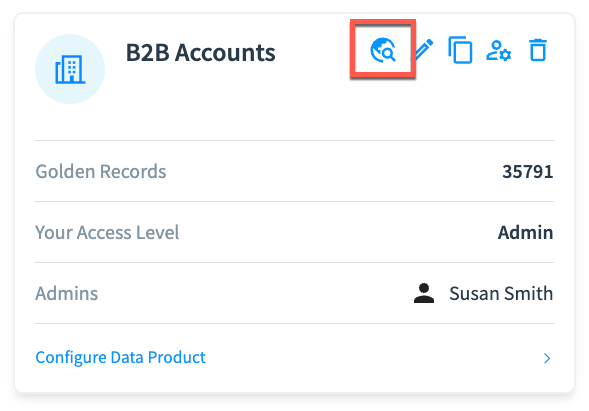
Use the new Browse Records icon on the RealTime data product tile and configuration page to quickly navigate to the data product's 360 pages.
Bug Fixes and Other Improvements
- Added general usability, styling, and performance improvements.