
Configuring Uniformity Scores
Limited ReleaseRealTime data products are in limited release. Some functionality is still in development and is subject to change. If you are interested in using these data products, contact Tamr Support ([email protected]).
Uniformity scores (High, Medium, Low) indicate the similarity of clustered source record values to the golden record values, and can help curators identify clusters requiring further review and refinement. These scores are available on 360 pages.
When you create a new RealTime data product, certain attributes are included in the cluster uniformity score calculation by default. See the topic for your data product type to review the defaults:
- About the RealTime B2B Customers Data Product
- About the RealTime B2C Customers Data Product
- About the RealTime Contacts Data Product
- About the RealTime Healthcare Providers Data Product
You can adjust which attributes are included in the overall uniformity score for the cluster. Additionally, you can choose to calculate uniformity scores for individual attributes. Curators may want to investigate clusters with low uniformity to verify that all records in the cluster represent the same entity.
Configuring Uniformity Scores
To configure uniformity scores:
-
On the Data Products page, select Configure Data Product on the data product card.
-
In Sources and Schema Mapping section, select Schema management.
-
Adjust the Overall Uniformity calculation as needed:
- Enable the Overall Uniformity toggle for each attribute that you want to include in the cluster uniformity score.
- Disable the Overall Uniformity toggle for each attribute that you want to remove from the cluster uniformity score.
-
Enable the Individual Uniformity toggle for any attributes for which you want to calculate similarity.
In the example below, Full Name and Personal Identifier are included in the overall uniformity score. An individual uniformity score is also calculated for the Personal Identifier field.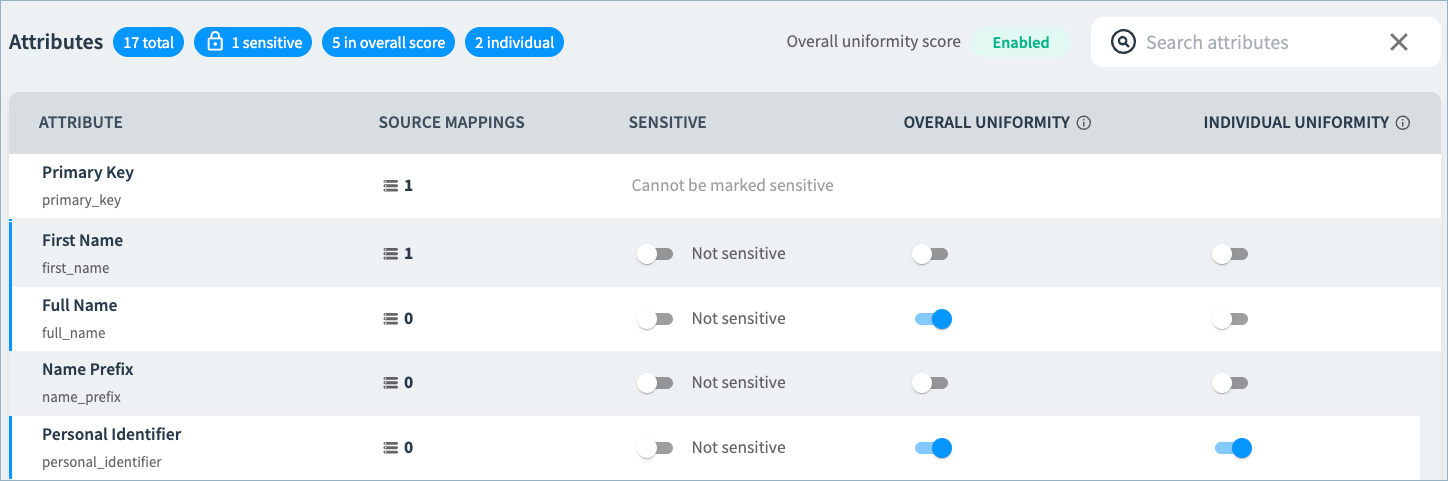
-
Select Save Draft and return to the main configuration page.
-
In Pending Changes, Validate your configuration changes and then select Apply Draft and Deploy.
-
Run the Reconsolidate workflow to calculate uniformity for your existing clusters.
Viewing Uniformity Scores on 360 Pages
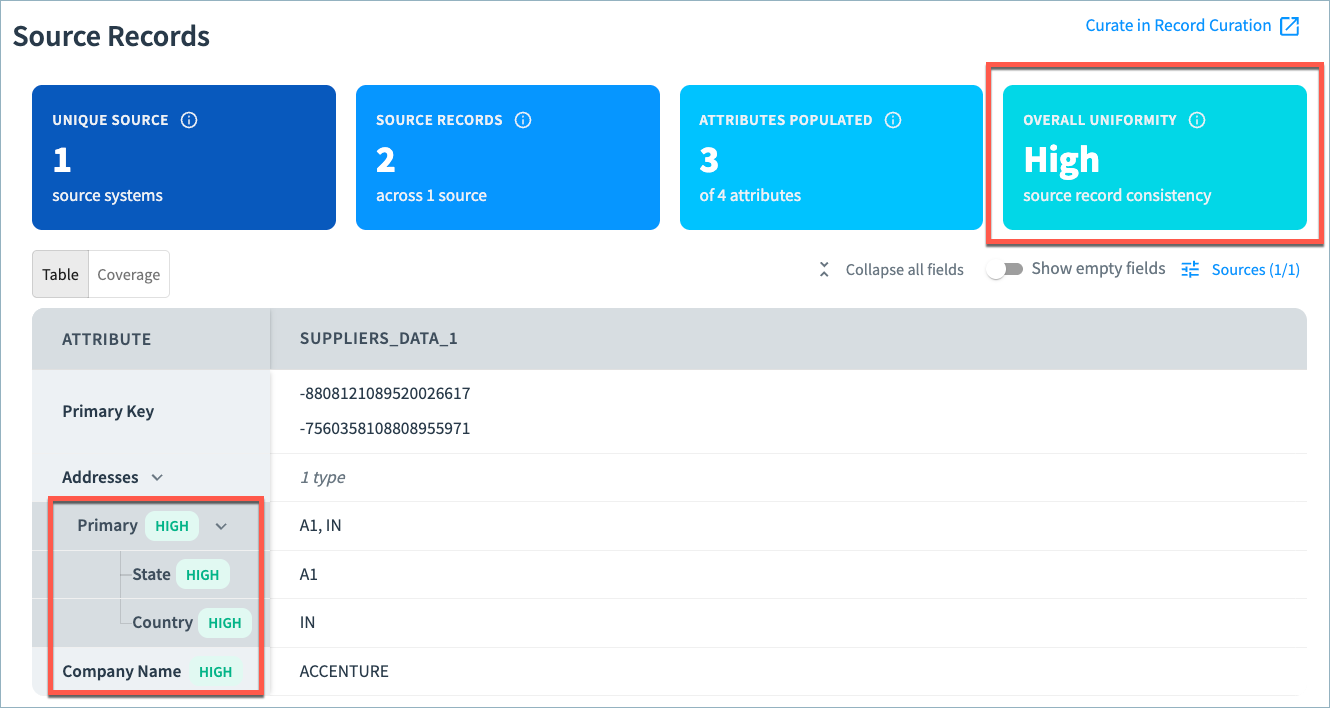
Review uniformity scores in the Source Records section of 360 pages.
The section includes the Overall Uniformity for the cluster based on the attributes used in the calculation. In the Table tab, you can review individual attribute uniformity. In the example below, the overall uniformity for the cluster is High. Attribute uniformity has been configured for Primary address values and Company Name. The uniformity for those attributes is also High.
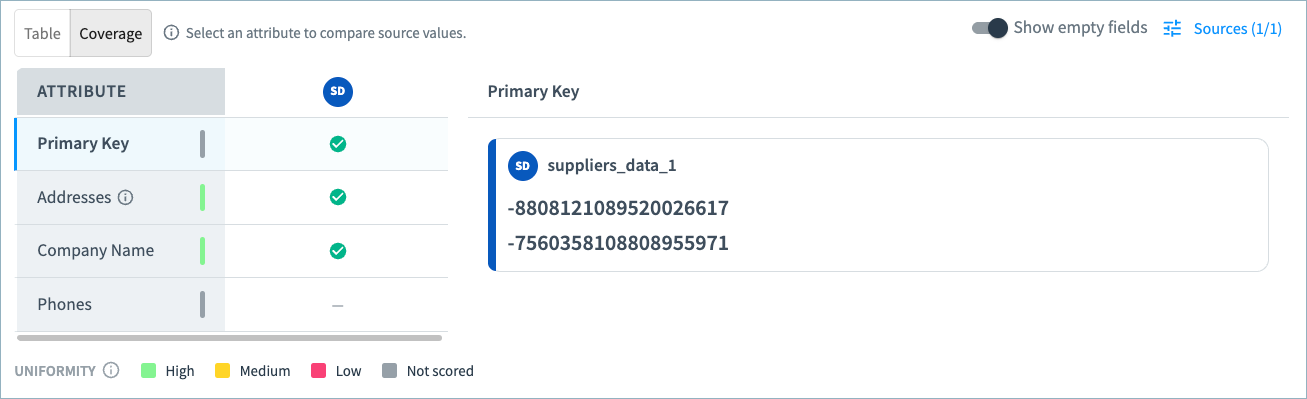
Attribute uniformity is also available on the Coverage tab, as shown below.
- High unformity: Green line
- Medium uniformity: Yellow line
- Low uniformity: Red line
Updated 2 months ago