
Editing Record Attribute Values
You can suggest or apply edits to attribute values from a record’s 360 page or from the data product's golden record table. Suggested edits are added to the Suggested Edits queue in Curator Hub for further review.
Editing Records from the 360 Page
To suggest or apply an attribute value edit from the 360 page:
-
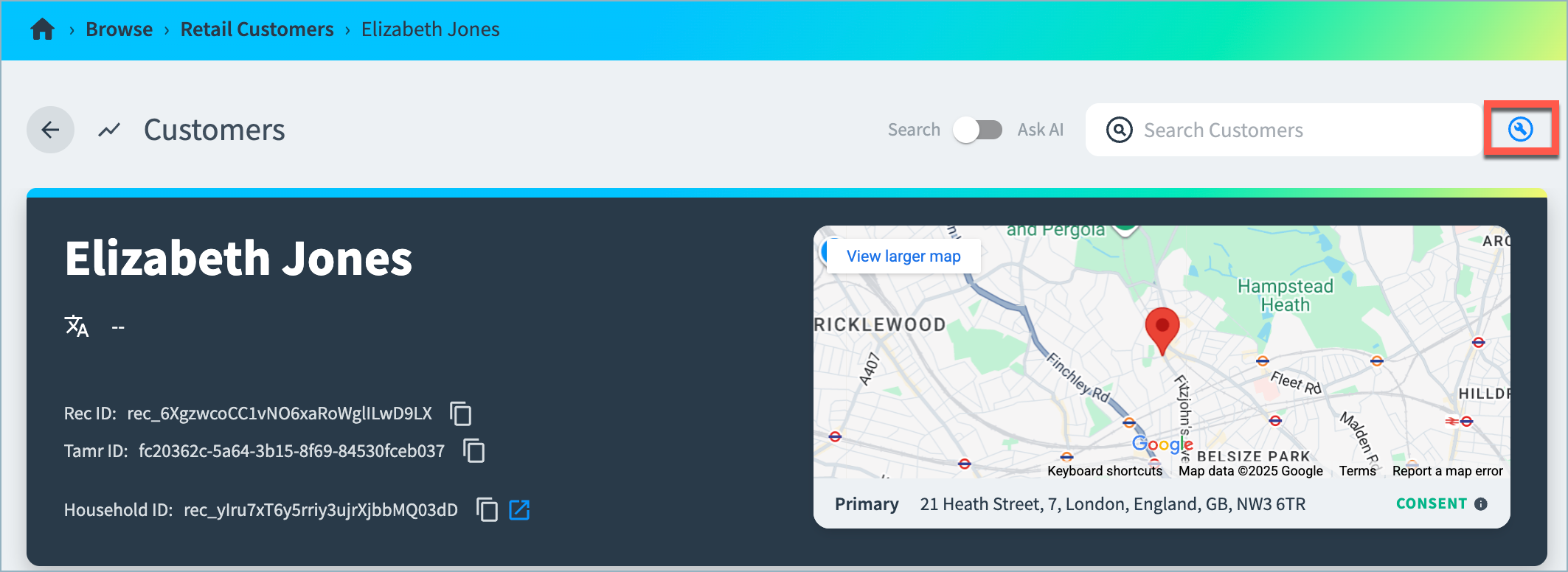
Navigate to the record’s 360 page.
-
Select the Edit (wrench) icon in the top right corner.
-
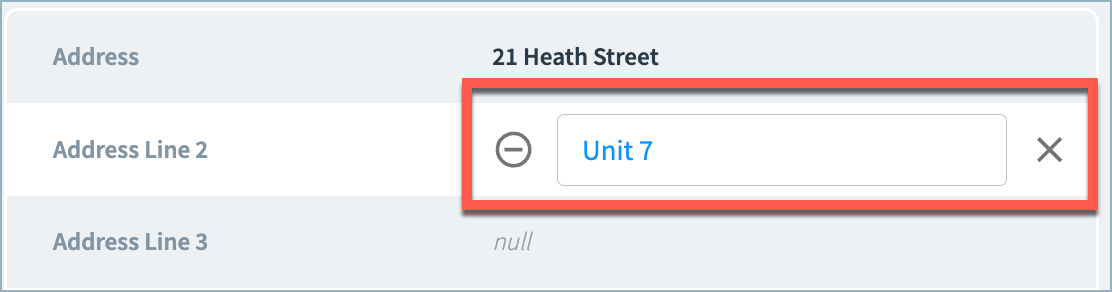
On the Edit Record page, select the value to edit, and enter a new value in the field. Press Enter.
-
Either:
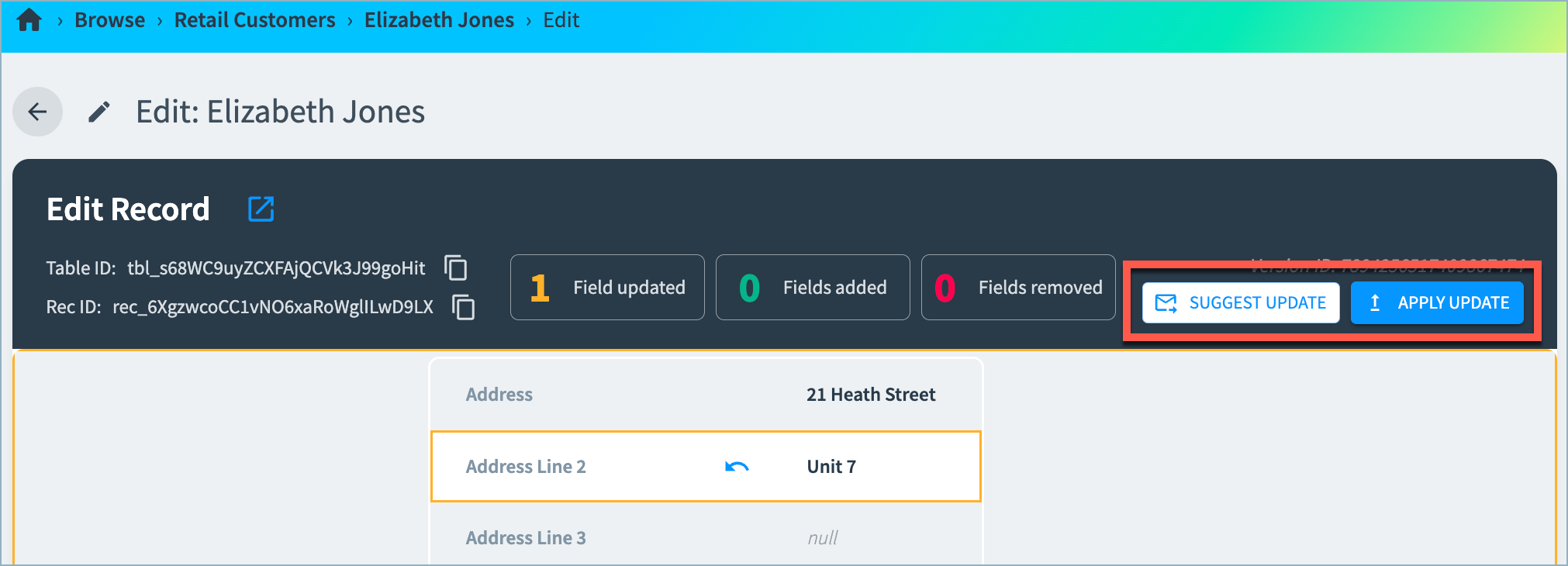
- Select Suggest Update and choose the curation queue to which to add this suggestion for further review.
- Select Apply Update to update the record immediately with the new value. This change is shown in the record history on the 360 page.
Editing Records from the Golden Records Table
To suggest or apply an attribute value edit from the golden records table:
-
Navigate to Curator Hub and then open the data product from the Data Products Explorer.
-
Select the Records tab.
-
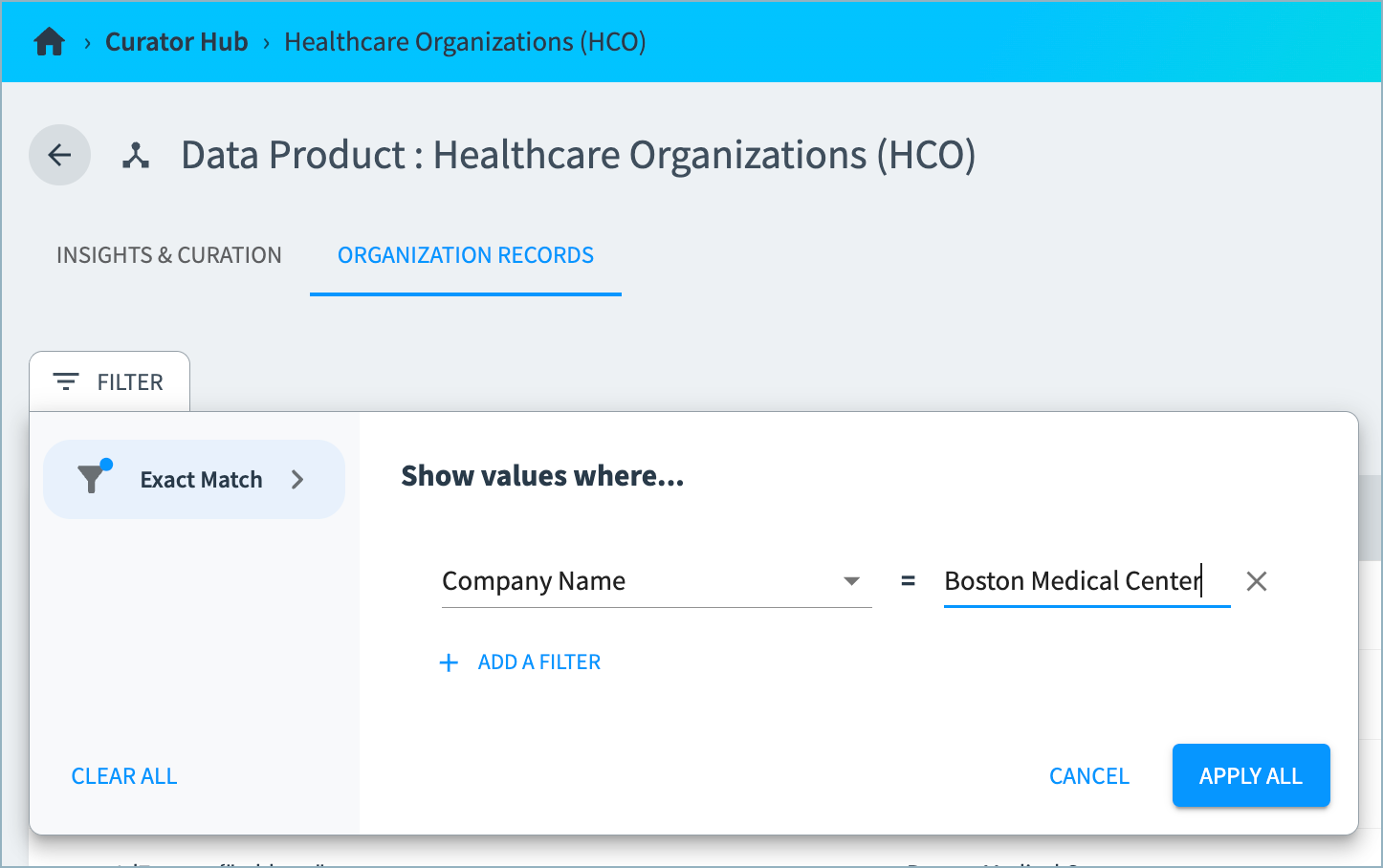
Find the record you want to edit. You can use filtering to find the records that exactly match specified values for one or more selected attributes.
-
Select the Edit (pencil) icon for the record to open the Edit Record page.
-
Follow steps 3 and 4 above to suggest or apply a change to an attribute value.
Updated 3 months ago