
Reviewing Suggested Edits
You can review suggested attribute value edits from a Suggested Edits queue in Curator Hub.
When reviewing suggested edits, you can choose to:
- Commit the suggested change.
- Dismiss the suggestion, leaving the current value in place.
Tip: You can also dismiss multiple suggestions at once, by selecting several suggestions or all suggestions on the page and then selecting the Dismiss option at the top of the page.
To review suggested edits:
-
Open Curator Hub.
-
Open a suggested edits queue.

-
Filter the list of suggested edits as needed, and select a suggested edit to view the suggested attribute value.
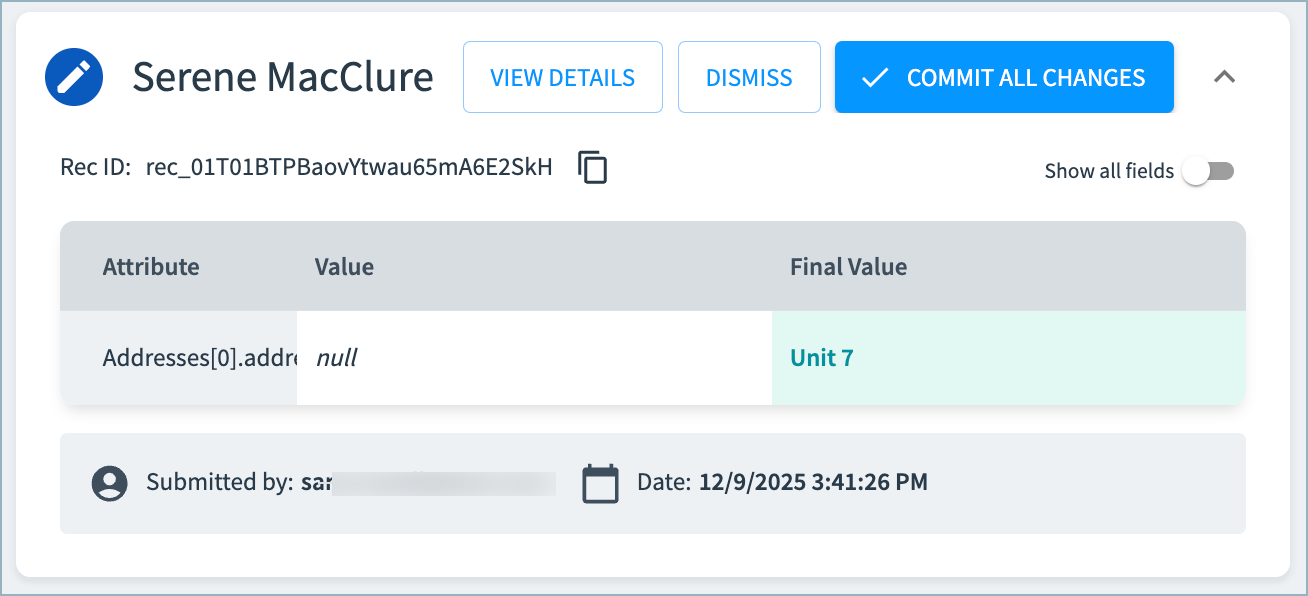
-
Either:
- Select Dismiss to reject the suggestion and retain the original value.
- Select Commit All Changes to update the record with the suggested value.
Confirming Attribute Value Edits
After you commit an attribute value edit, you can view the update details on the 360 page for the record in both:
- Record History events
- Curation Activity section, in the Archived list
You can also see the update details in the Curator Hub Suggest Edits queue by filtering to items with the Closed > Edited status.
Updated 5 months ago
Did this page help you?