
Reviewing Suggested Duplicate Records
Review suggested duplicate records from a Suggested Duplicates queue in Curator Hub.
When reviewing suggested duplicate records, you can choose to:
- Merge the two records, selecting one as the record to retain after merge.
- Dismiss the suggestion, to leave the two records in place. You can also dismiss multiple suggestions at once, by selecting several suggestions or all suggestions on the page and then selecting the Dismiss option at the top of the page.
- Review the match explanation details to understand why these records might be duplicates.
If you accidentally merge records, you can "unmerge" them from the Record History on the 360 page, provided that the merge was the last action performed on the record.
Tip: If you are using a limited release RealTime data product, see Curating RealTime Data Product Results for additional record curation options.
Reviewing Suggested Duplicates
To review suggested duplicate records:
-
Open Curator Hub.
-
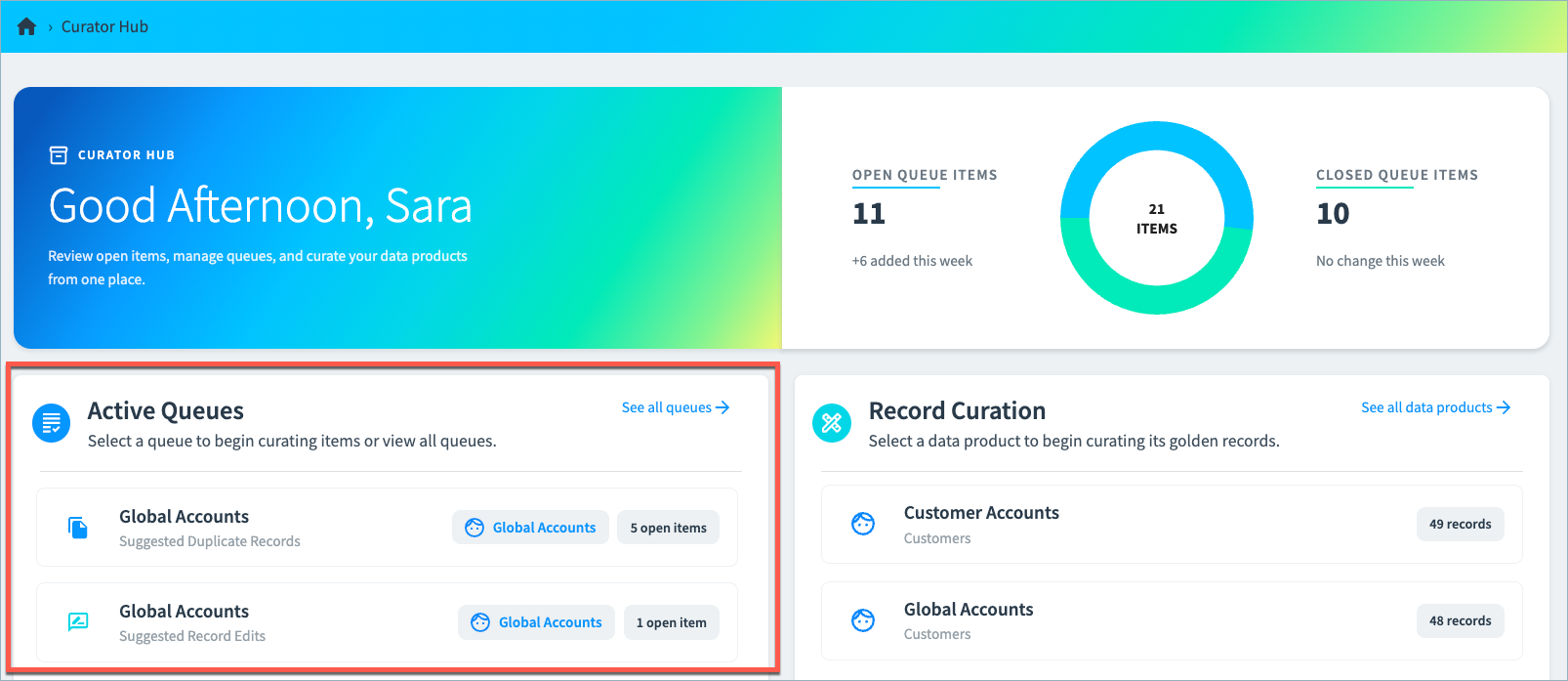
Open a suggested duplicates queue from the Actions section.
-
Filter the queue as needed to find the suggested duplicates you want to review.
If you are using a limited release RealTime data product, see Match Labels for the default labels you can use for filtering your data product.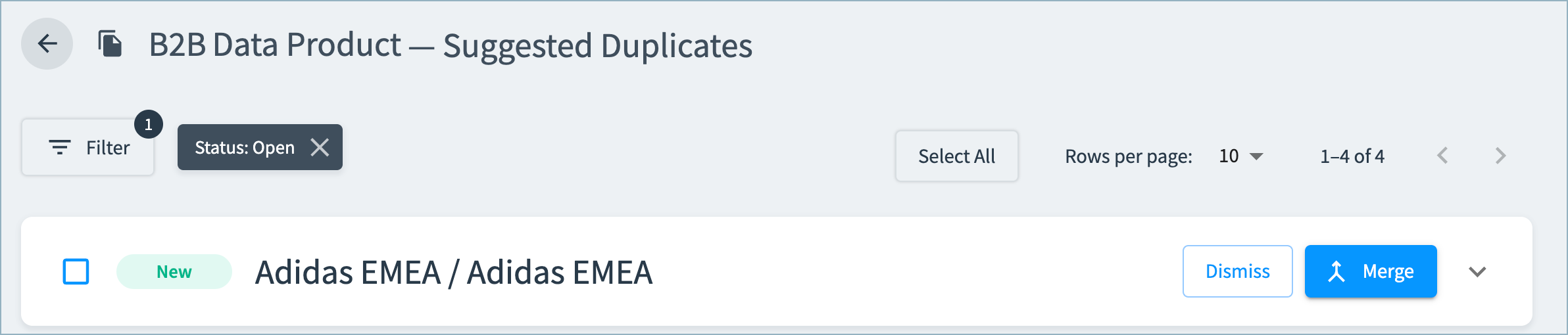
-
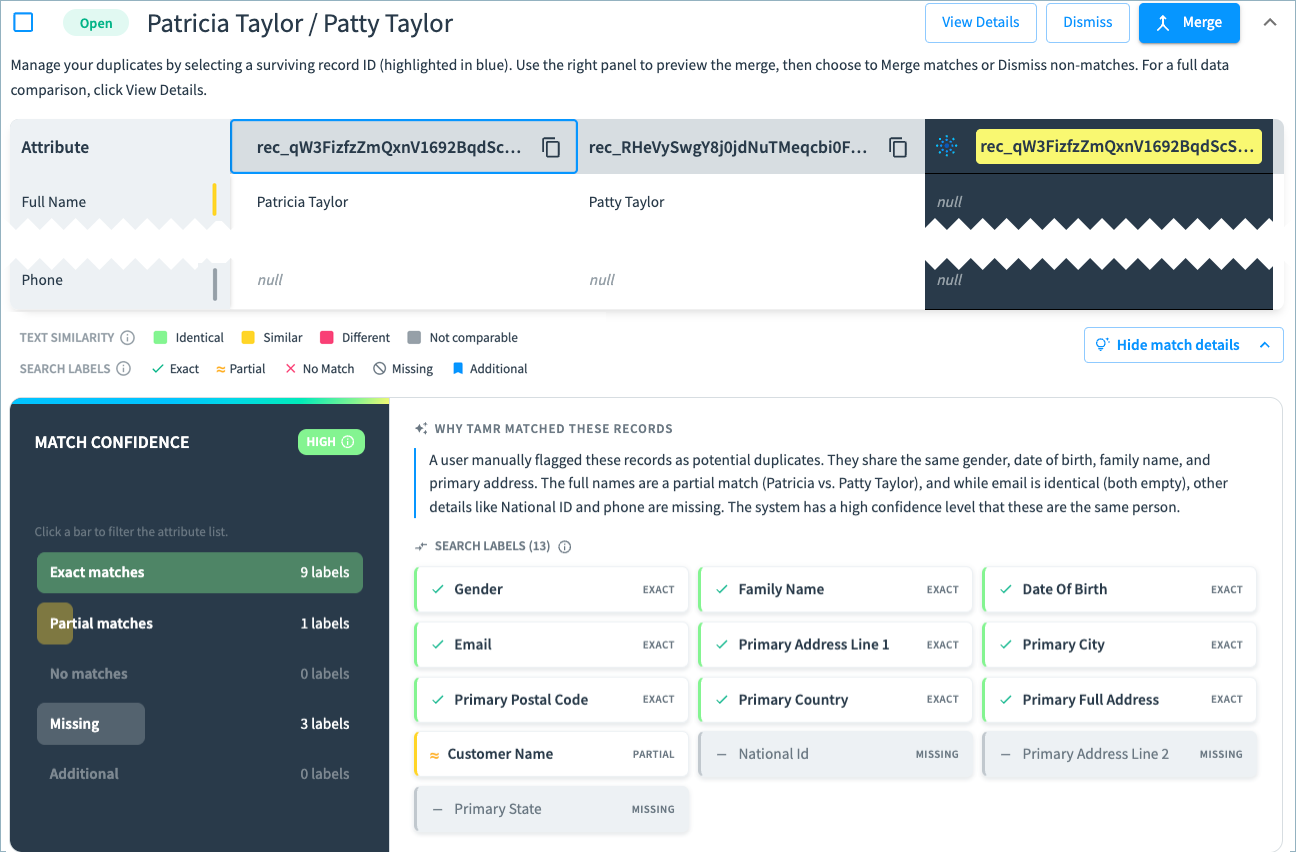
Select a suggested duplicate to open a pairwise comparison.
The comparison shows values for key attributes, text similarity of these values, and search labels. -
Optionally, select Expand all fields in the top right of the queue item to view a comparison of all attributes.
-
Optionally select Show match details to open the explainability section with match confidence and the specific labels on which the record matched and partially matched. The AI summary explains the match in user-friendly language.
-
Review the suggested merge, and do one of the following:
- If these records are not duplicates, select Dismiss to reject the suggestion.
- If these records are duplicates, merge them by selecting the record that should be retained after the merge and then selecting Merge.
Tip: The column on the right, with the record ID highlighted in yellow, shows a preview of the record after merge.
Confirming Record Merges
After you merge records, you can view merge details on the 360 page for the retained record.
- The merge is included in the Record History events.
- The merge is included in the Curation Activity section, in the Archived list.
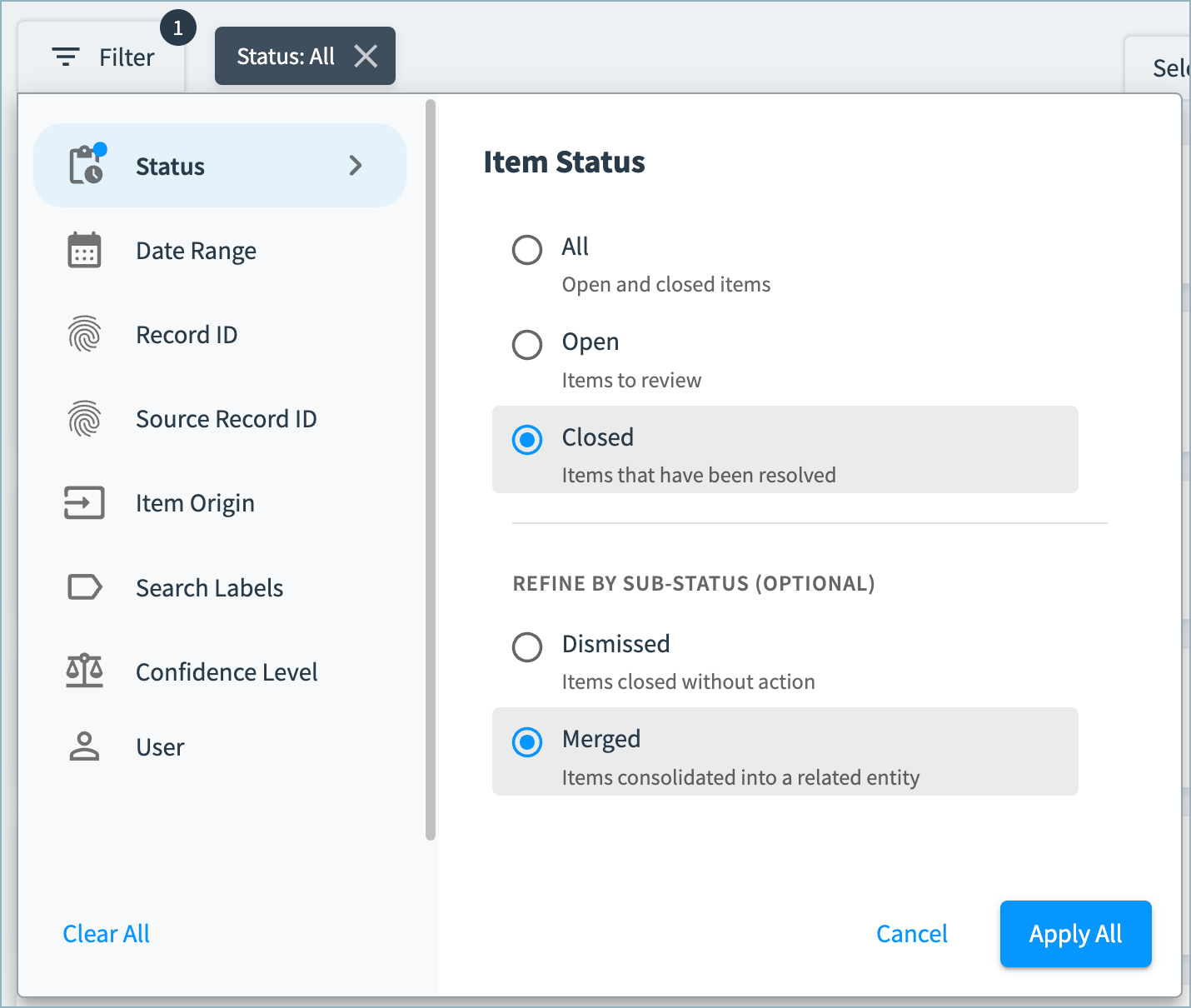
You can also see the merge details in the Curator Hub Suggest Duplicates queue by filtering to items with the Closed > Merged status.
Unmerging Records
If the merge was the last action performed on a record, you can undo (unmerge) the merge.
To unmerge records:
-
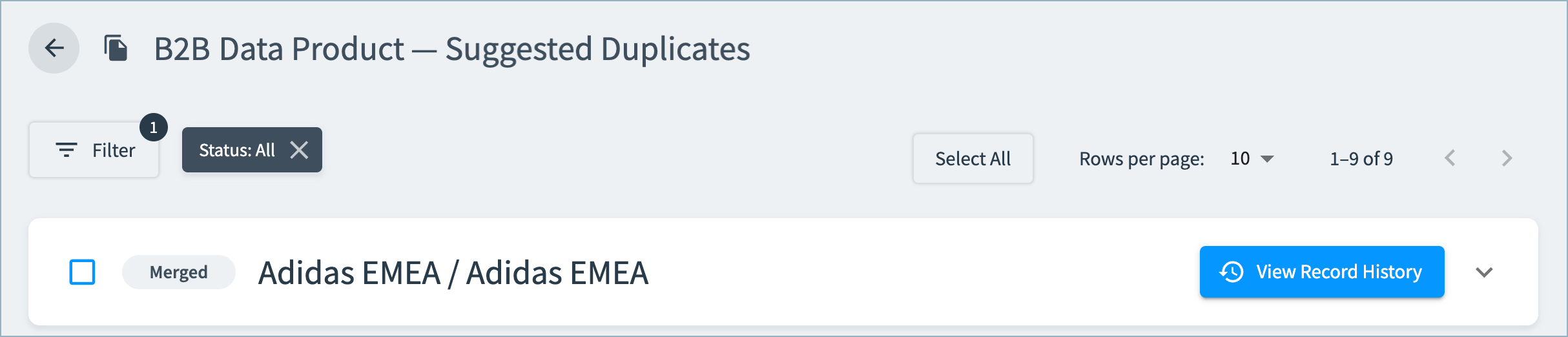
In the suggested duplicates queue, filter by Status, and select either All or Closed > Merged items.
-
Locate the merged item in the queue, and select View Record History to open the record's 360 page.
-
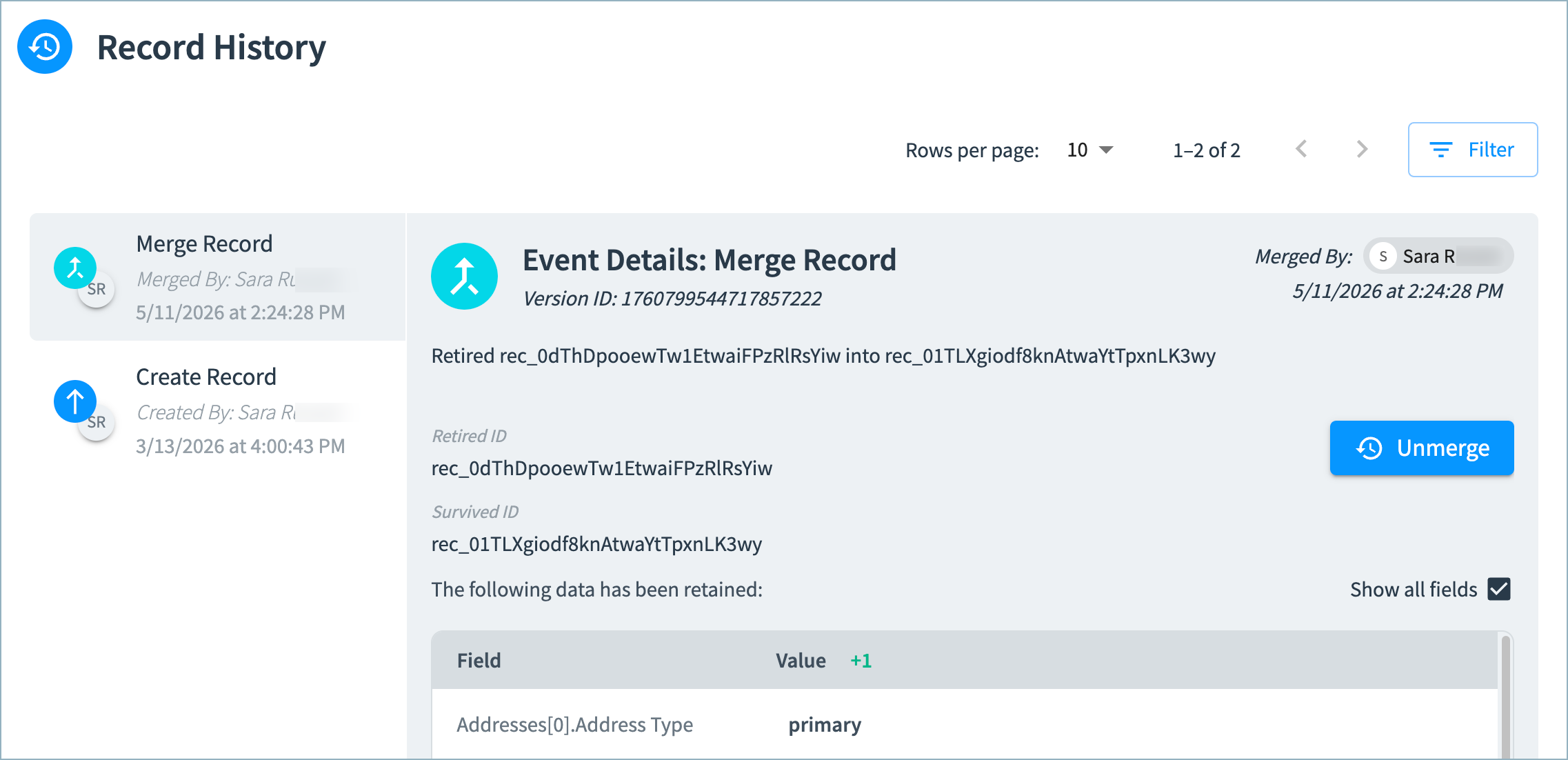
In the Record History section of the 360 page, select the Merge Record event.
-
Select Unmerge.
-
Review the preview of the unmerged records and select Unmerge.
Updated 23 days ago