
Curating Records in the System of Record
Looking to use Curator Hub?Curator Hub is available for data products with a System of Record. Contact Tamr at [email protected] to inquire about enabling this feature on your tenant.
Curator Hub is the command center for data curators, providing tools that enable you to review, manage, and act on data changes.
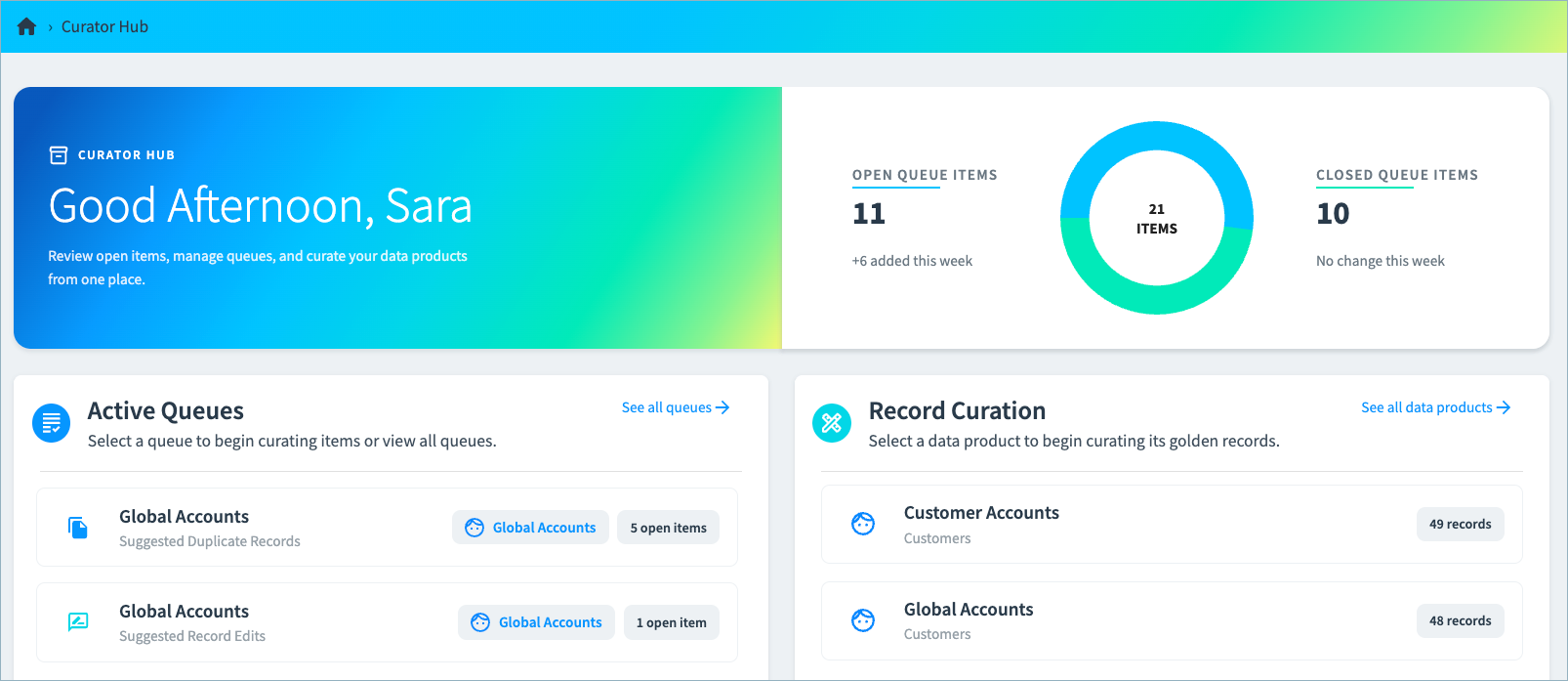
Here, you can:
- Gain immediate insight into the number of open queue items across data products in your project.
- Open queues to review and act on suggested duplicates and suggested edits.
- Navigate to the golden records table to review specific records.
Who Can Review and Curate Records?
A user's ability to review and curate records depends on their data product roles and queue roles.
How are Suggested Duplicates Added to a Queue?
When new records are submitted to Tamr, Tamr automatically searches for existing records that match or partially match the new record.
- If a match is found, Tamr updates the existing record.
- If no match is found, Tamr creates a new record.
- If a partial match is found, Tamr creates a new record and identifies it as a possible duplicate. Tamr adds this item to a suggested duplicate queue for curator review.
Additionally, users can suggest merges for duplicate records from the Feedback section of a record’s 360 page, as shown below.
When suggesting the merge, users choose the curation queue to which to add this suggestion for further review.
Tip: For each suggestion, Tamr provides the match confidence (high, medium, or low). You can also select View match details for insight into which fields match and partially match between the records.
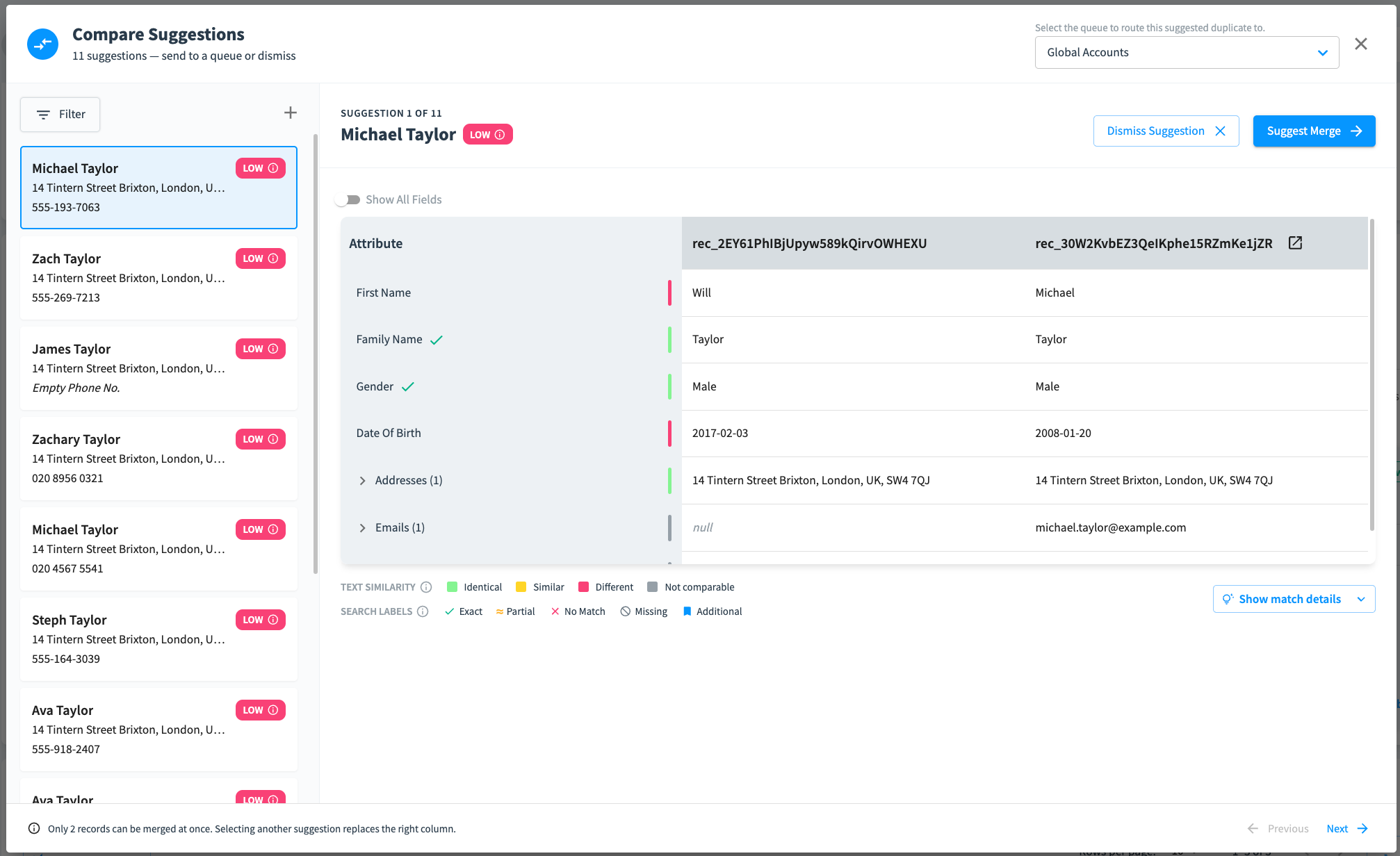
See Suggesting Record Merges for more information on suggesting merges from the 360 page.
See Reviewing Suggested Duplicate Records for more information about reviewing and taking action on records in the Suggested Duplicate queue.
How are Suggested Edits Added to a Queue?
Depending on their data product roles and queue roles, users can suggest edits to attribute values from 360 pages, as shown below. When suggesting edit, users choose the curation queue to which to add this suggestion for further review.
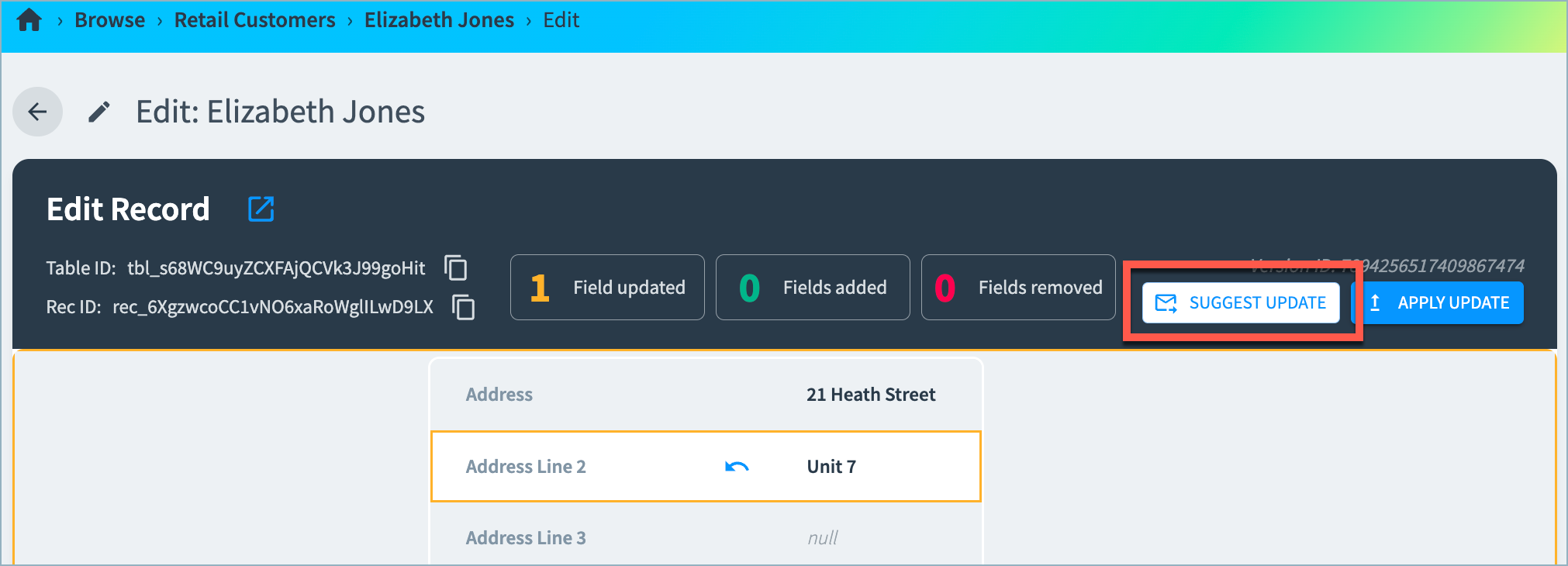
See Editing Record Attribute Values for instructions on editing records from the 360 page.
See Reviewing Suggested Edits for more information about reviewing and taking action on edits in the Suggested Edits queue.
Can I Move Items between Queues?
Once an item is added to a curation queue, you cannot move it to a different queue. You would need to dismiss the item and then open it as a new curation item in the other queue. For example, on the 360 page Feedback card, you would suggest the merge again, selecting the other queue.
Resolving Queue Items
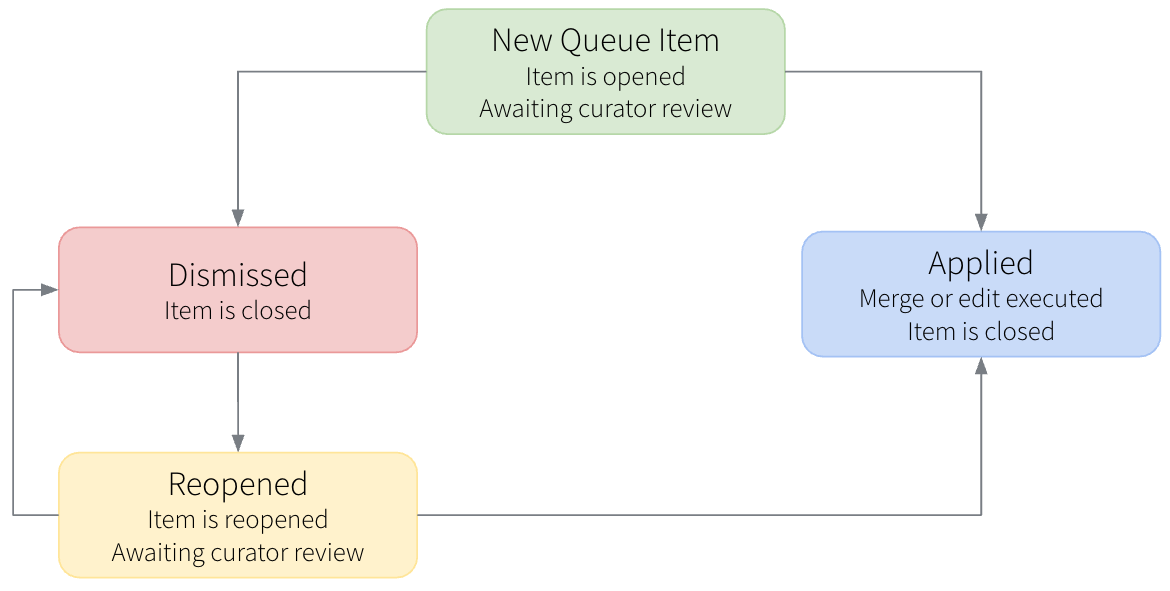
When a suggested duplicate or suggested edit is added to a queue, the new item is in open state. A curator reviews the open item, and can choose to dismiss the item (rejecting the suggestion) or apply the suggestion, which merges the records or applies the suggested value edit.
Dismissing or applying a suggestion moves the item to the closed state.
If needed, a curator can reopen a dismissed item for further review. Reopening an item returns it the open state.
What Happens if Records Associated with Queue Items are Deleted?
Suggested duplicate and suggested edit queue items become invalid if one or more of the records associated with the queue items are deleted. In this case, the Merge or Commit All Changes options are disabled and a red warning icon appears to indicate that you cannot merge the records or accept the edited attribute value.

You can dismiss these items to close them without action.
If you are an admin or developer in the associated data product, you can also dismiss these invalid items in bulk. See Cleaning Up Queue Items for Deleted Records for instructions.
Monitoring Curator Activity
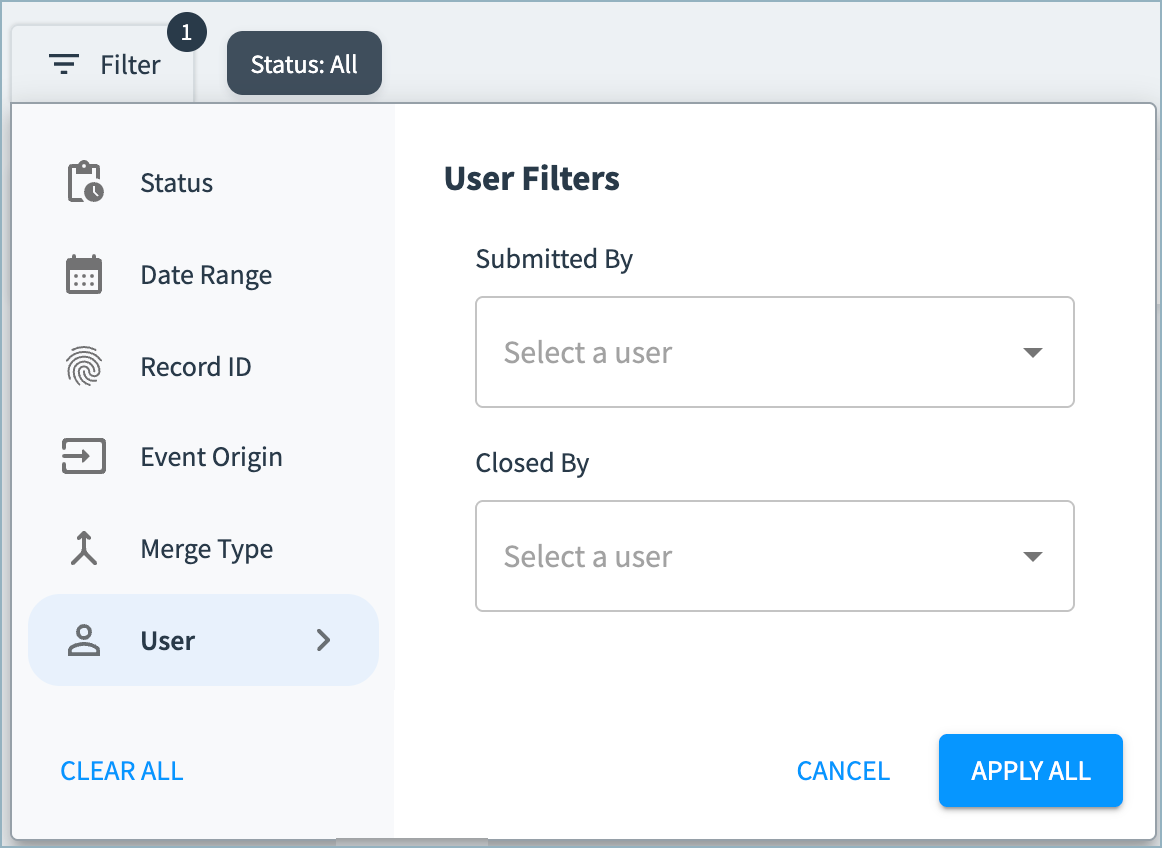
You can filter each curation queue by the user who submitted or closed an item (by dismissing or applying it), allowing you to track curator activity across specific date ranges, statuses, event origins, and merge types.
Updated 17 days ago