
Adding and Adjusting Standards in a Data Product
Reference data standards clean, standardize, and normalize source record values.
Applying standards can:
- Improve the source input for record matching and suggested duplicates.
- Ensure you have clean, consistent values in your golden records.
See About Tamr-Managed Reference Data Standards for full details on each standard provided by Tamr. See Managing User-Defined Reference Data Standards for information on adding and updating custom standards.
Adding Standards to a Data Product
To add standards to a data product:
-
On the Data Products page, select Configure Data Product on the data product card.
-
In the Golden Records card, select Enrichment & Data Quality Standards.
-
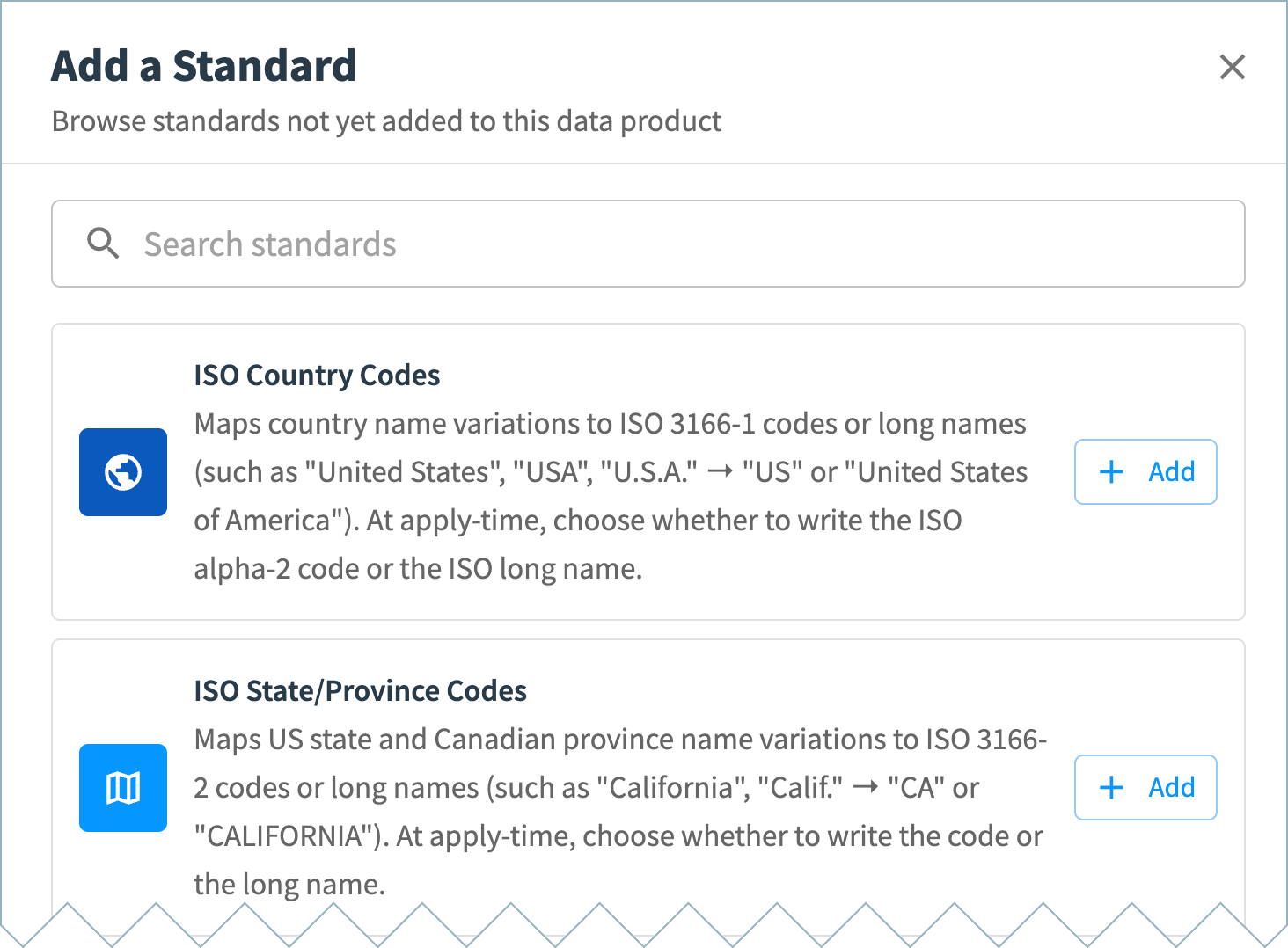
In the Standards section, select Add a standard. The Add a Standard dialog includes all Tamr-managed and user-defined standards available to add to this data product.
-
Select Add for a standard to add it to your data product and open its configuration page.
-
If multiple versions of the standard are available, select the version to use in this data product.
-
Optional. If available for the selected standard, expand the Format options section to review available options and example values.
- Date Format standard options:
- Format options:
- ISO 8601 (
yyyy-mm-dd, for example 2026-03-21) - ISO 8601 datetime (
yyyy-mm-ddThh:mm:ss, for example 2026-03-21T02:15:35) - Month/Day/Year (
mm/dd/yyyy, for example as 03/21/2026) - Day/Month/Year (
dd/mm/yyyy, for example 21/03/2026)
- ISO 8601 (
- Ambiguous date order options. For numeric dates with ambiguous day/month order (for example,
03/04/2003), parse as either:- Day first (
03/04/2003is April 3) - Month first (
03/04/2003is March 4)
- Day first (
- Format options:
- ISO Country Codes standard options:
- ISO Alpha-2
- Full name
- ISO State/Province Codes standard options:
- ISO Alpha-2
- Full name
- Phone Format standard options:
- E.164
- National
- International
- Date Format standard options:
-
Optional. If available for the selected standard, expand the Lookup examples section for examples of how source value variations map to the canonical values for this standard. (For the full list of values, navigate to the Reference Data page and open the standard.)
-
In the Apply to attributes section, choose the attributes for which to apply the standard.
-
If the standard provides format options, select the format for each attribute.
-
If you are using the ISO Country Codes standard, optionally map a state attribute to infer the country if it is not available in the record (for US and Canada only).
-
If you are using the Phone Format standard:
- Specify the country attribute associated with each phone attribute. This allows Tamr to correctly standardize the phone number.
- Optionally, select Remove invalid values to remove invalid values for that attribute from source records.
-
If you are using the Date/Datetime Format standard, optionally select Remove invalid values to remove invalid date or datetime values for that attribute from source records.
-
-
Select Save Draft when you have finished configuring the standard.
-
Repeat these steps to add other standards.
-
Return to the main configuration page.
-
In Pending Changes, Validate your configuration changes and then select Apply Draft and Deploy.
Adjusting Standards in a Data Product
To adjust the settings for a standard in a data product:
-
On the Data Products page, select Configure Data Product on the data product card.
-
In the Golden Records card, select Enrichment & Data Quality Standards.
-
In the Standards section, select the standard you want to modify.
-
If you want to disable this standard entirely, select the More (three dot) icon and choose Remove from data product.
-
If you want to change the attributes to which the standard applies or the standardized format for that attribute value, make the necessary adjustments in the Apply to attributes section.
-
Select Save Draft when you have finished configuring the standard.
-
Return to the main configuration page.
-
In Pending Changes, Validate your configuration changes and then select Apply Draft and Deploy.
Applying Reference Data Standards to Your Data
Run Tamr workflows to apply these standards to your source data:
- Resolve workflow: Applies the standards when processing new and updated records from existing source datasets.
- Reconsolidate workflow: Applies new or updated standards to all existing source records, making the standardized values available for the golden record.
Updated about 2 months ago