
Cleaning Up Queue Items for Stale Records
Suggested duplicate and suggested edit queue items become invalid if one or more of the records associated with the queue items are deleted. In this case, the Merge or Commit All Changes options are disabled and a red warning icon appears to indicate that you cannot merge the records or accept the edited attribute value.

Additionally, queue items become stale when the records in the item are merged through a different queue item, Curator Hub record table curation, or API.
You can dismiss these invalid and stale items to close them without action.
If you are an admin or developer in the associated data product, you can also dismiss these items in bulk.
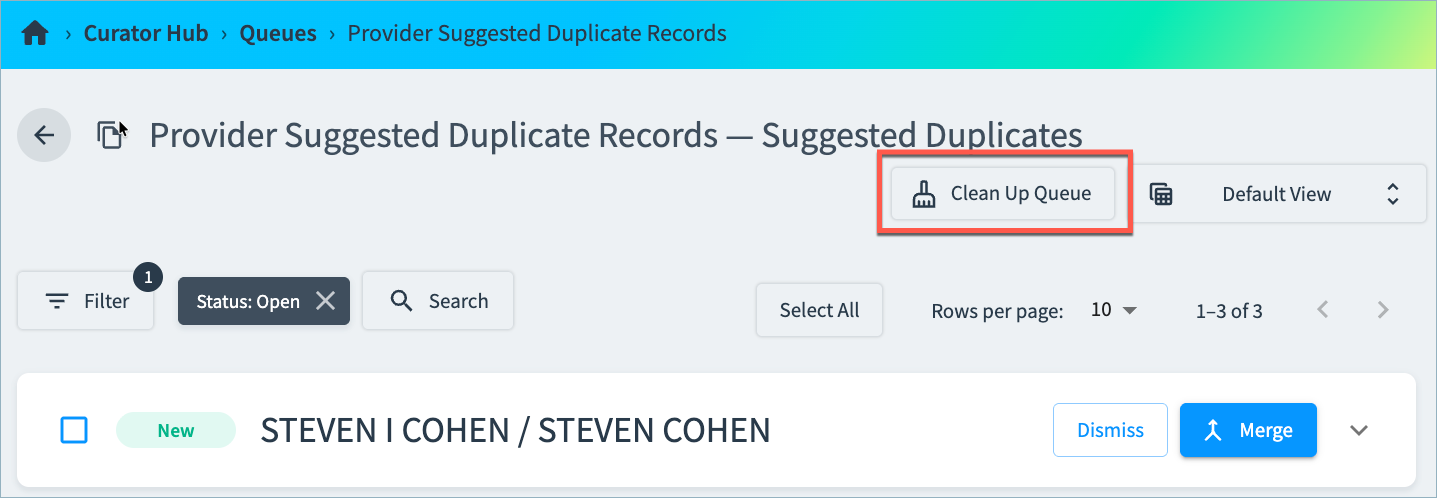
To bulk dismiss queue items associated with deleted records or that have previously merged:
- Open the Queue in Curator Hub.
- Select Clean Up Queue and confirm the action.
You can view the status of this job on the Admin > Jobs page. When the job completes, all invalid or stale queue items are marked as Dimissed, and the user who ran the Clean Up Queue action is recorded as the user who dismissed the item.
Updated about 1 month ago