
Understanding Consolidation Rule Conditions
When you add a condition to a rule, you can choose to:
- Filter records by simple conditions, such as most common, smallest, or non-null values.
- Prioritize specific sources and enrichment sources to select values from, so that a value is chosen from a record in the prioritized source provided it meets the other conditions.
- Exclude specific sources from consideration.
- Define complex, multi-tiered prioritization rules using simple conditions combined with AND or OR logic.
- For address, phone, and email types, configure subfield priority to determine how the values for each address, phone, and email type are selected.
Additionally, you can select the final condition that determines the golden record value in the event of a tie.
For example, if you want to select the most common non-null Company value from a preferred source for the Company attribute you would define the source priority, with that source as the highest priority, and then apply another condition to filter to only records with the most common Company value. If the cluster includes records from the preferred source with non-null values for Company, the most common Company from those records is chosen. If the cluster does not include records from that source, or if records from that source have null values for Company, the most common non-null value across all clustered records is selected as the golden record value.
Simple Conditions
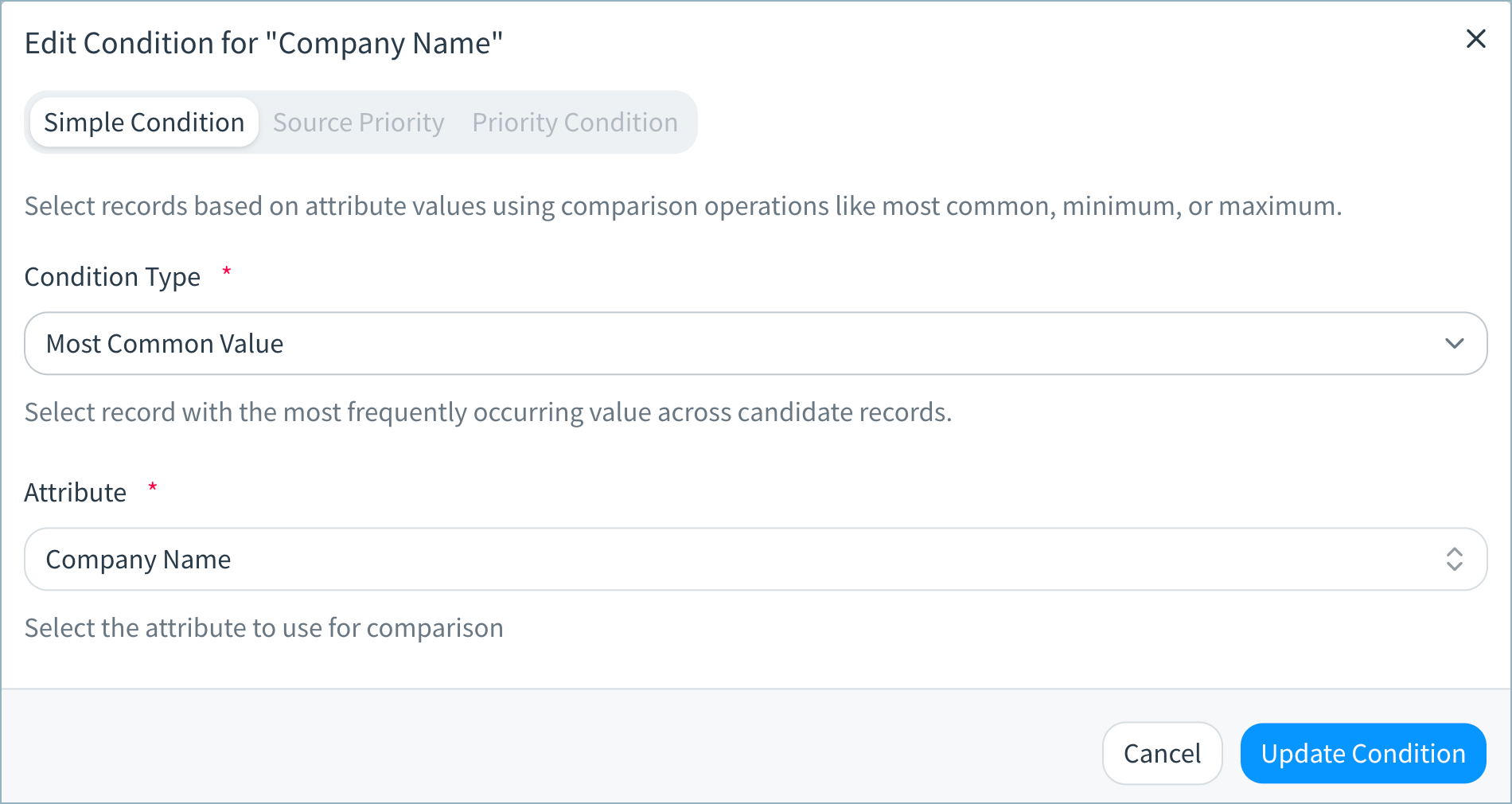
| Condition Type | Description |
|---|---|
| Most Common Value | Select the record with the most frequently occurring non-null value for the specified attribute. |
| Minimum Value | Select the record with the minimum (smallest) non-null lexicographic or numeric value. |
| Maximum Value | Select the maximum(largest) non-null lexicographic or numeric value for this attribute. |
| Shortest Value | Select record with the shortest non-null string value (by character count). |
| Longest Value | Select record with the longest non-null string value (by character count). |
| Exists | Select records where the specified attribute value is, or is not, null. Choose Is empty to select records where the attribute is null. |
| Match Value | Select records where the specified attribute equals or does not equal a supplied value. Choose Does not equal to exclude records with matching records. |
| Match Attribute | Select records with matching or non-matching values for the two specified attributes. Null values are not considered. Choose Does not equal to exclude records with matching attribute values. |
Source Priority
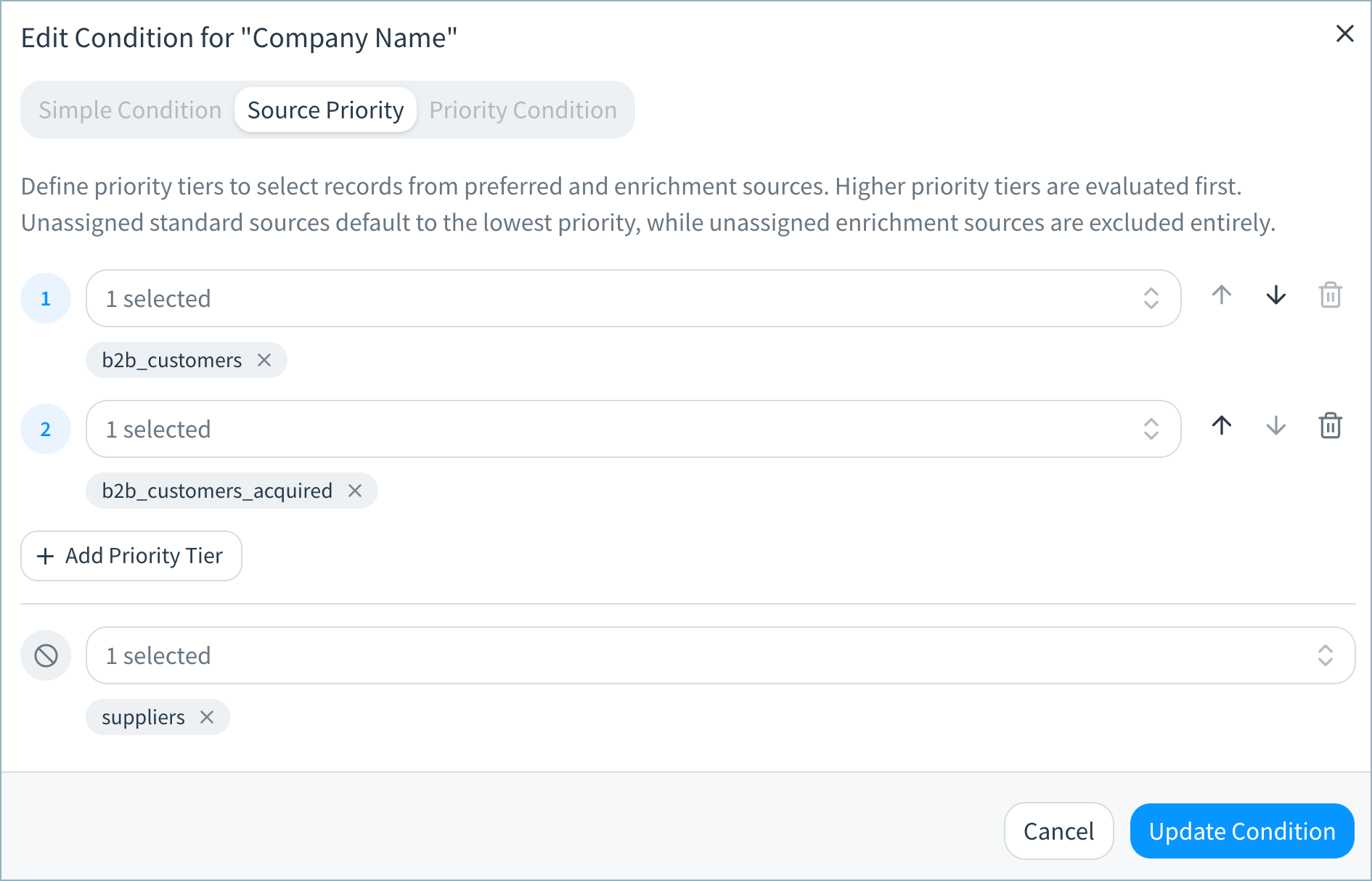
Define priority tiers to use records from preferred sources when determining golden record values and to exclude specific sources from consideration. You can configure a number of priority tiers, and include one or more sources in each tier.
The golden record value for this attribute is chosen from a record in highest tier prioritized source provided it meets the other rule conditions.
If you exclude sources, values from that source will not be used in the golden record for this attribute.
Unassigned source datasets default to the lowest priority, while unassigned enrichment sources are excluded entirely.
Prioritizing Enrichment Sources
In addition to prioritizing source datasets, you can also prioritize values from address and firmographic enrichment sources.
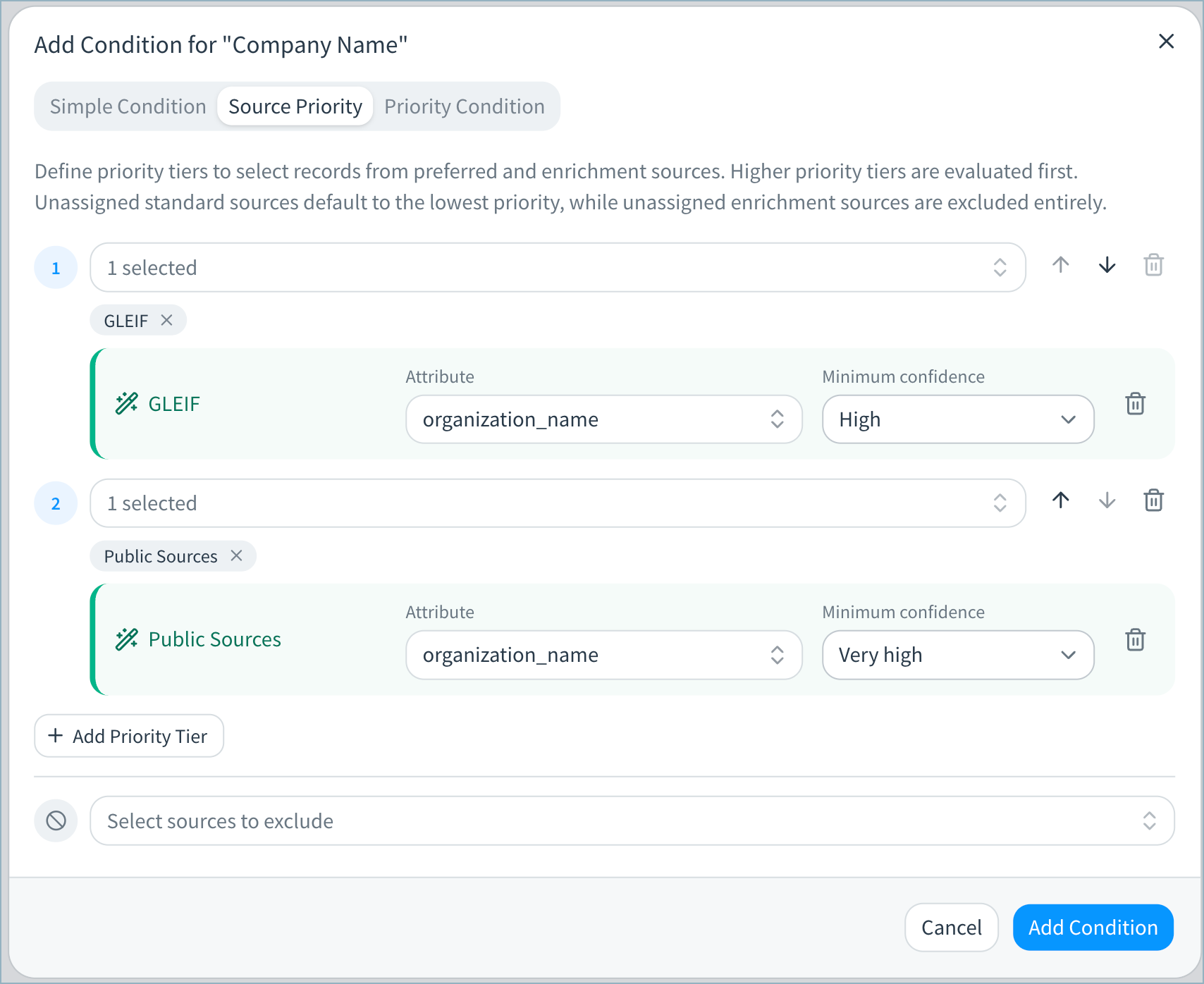
See Adding and Running Enrichment in a Data Product for complete instructions on prioritizing enrichment sources.
Priority Conditions
Using priority conditions, you can define complex, muliti-tiered prioritization rules using the simple conditions described above combined with AND or OR logic.
You can define multiple priority tiers. In each tier, define one or more simple conditions that records must meet to be considered for the golden record value for this attribute. Within each tier, choose to use AND or OR logic.
The golden record value for this attrbute is chosen from a record that meets criteria in the highest priority condition tier, provided that the record meets the other rule conditions.
If no records meet the defined priority conditions, the golden record value is determined by the other rule conditions.
The examples below illustrate different use cases for priority conditions.
Priority Conditions Example 1: Most Recent Active Account Number
In this example, the following custom attributes are mapped in the data product:
- Account Number
- Account Status (values are ACTIVE and INACTIVE)
- Account Created (values are timestamps)
The golden record should contain the most recent active account number, then any active account number, and then finally the most recent inactive account number. Priority conditions are defined as follows:
- Priority Tier 1: Select the account name value from a record with the most recently created active account.
- Priority Tier 2: If no record match the criteria of tier 1, select the account name value from a record with an active account.
- Priority Tier 3: If no record matches the criteria of tier 1 or tier 2, select the account name value from a record with the most recently created inactive account.
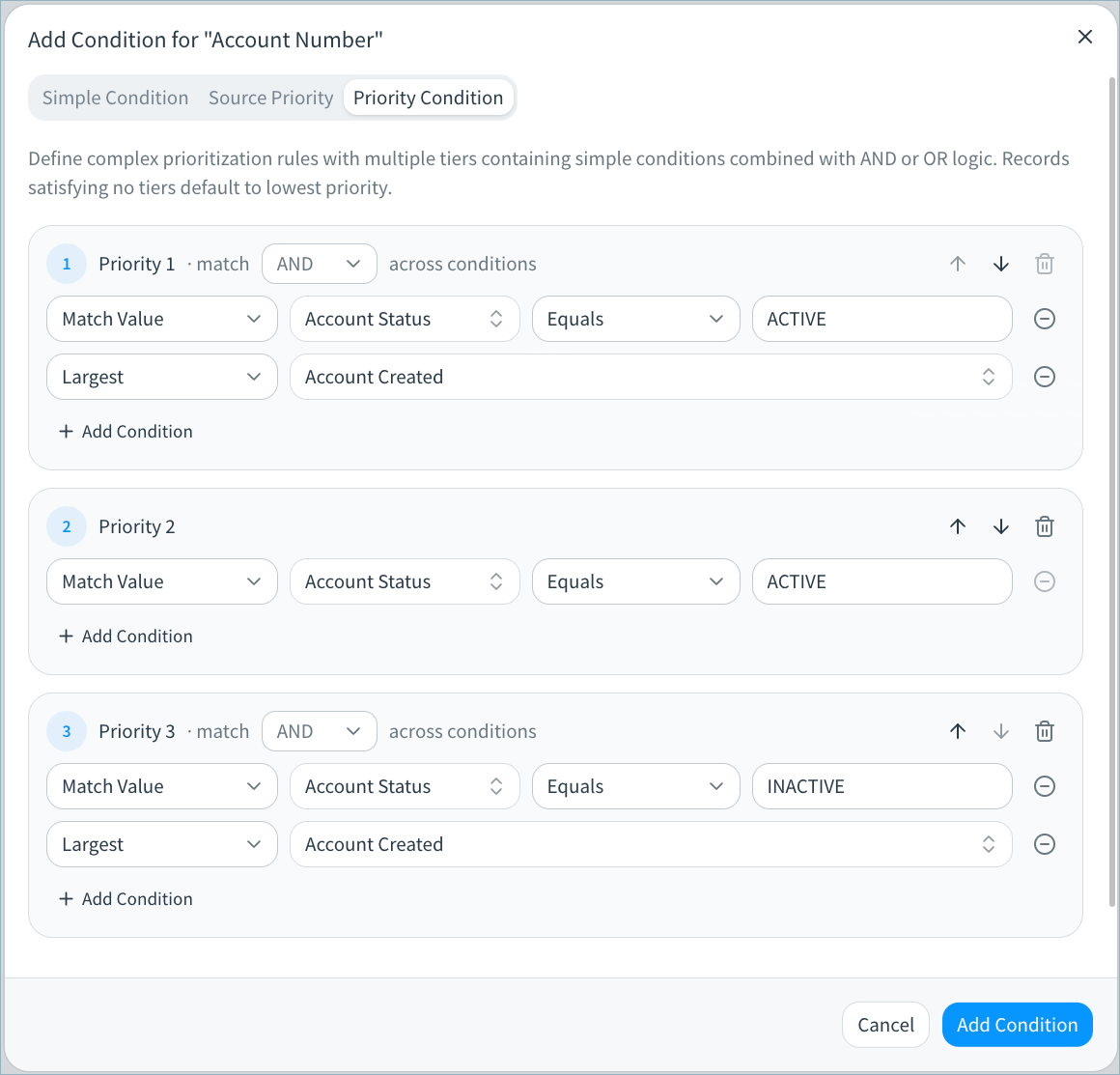
Full consolidation rule for Account Number:
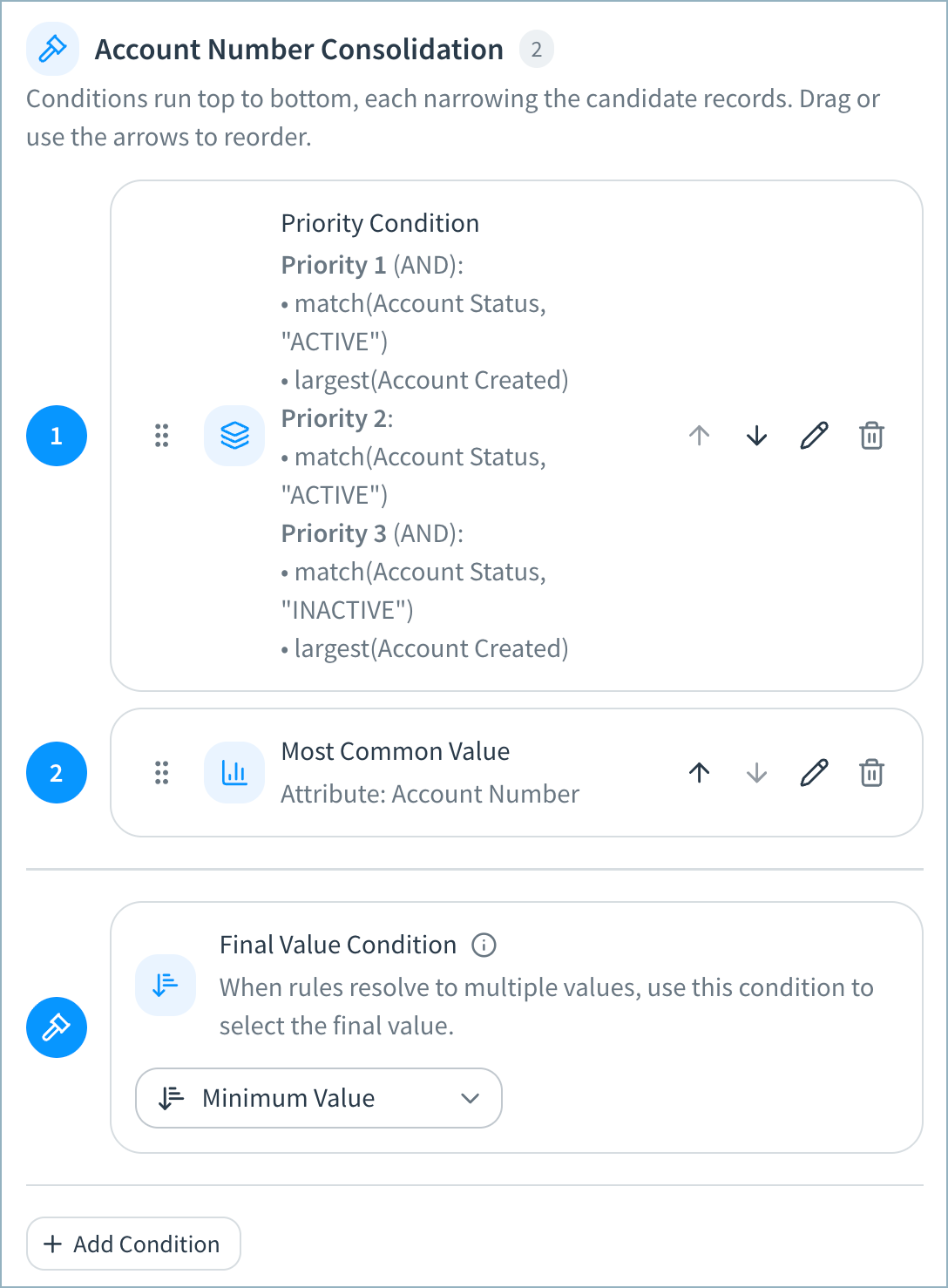
The priority condition is first in the Account Number consolidation conditions (condition 1). If no records meet the criteria set in that condition, Tamr will then choose the most common Account Number (condition 2).
Priority Conditions Example 2: Most Complete Name
In this example, the following attributes are mapped in the data product:
- Name Prefix
- First Name
- Middle Name
- Family Name
The golden record should contain the most complete name possible. For each name attribute above, the priority conditions are configured to select values from the record with the most non-null name attribute values. Priority conditions are defined as follows:
- Priority Tier 1: Select the first name value from a record that has values for name prefix, first name, middle name, and family name.
- Priority Tier 2: If no record match the criteria of tier 1, select the first name value from a record that has values for first name, middle name, and last name.
- Priority Tier 3: If no record matches the criteria of tier 1 or tier 2, select the first name value from a record with values for first name and family name.
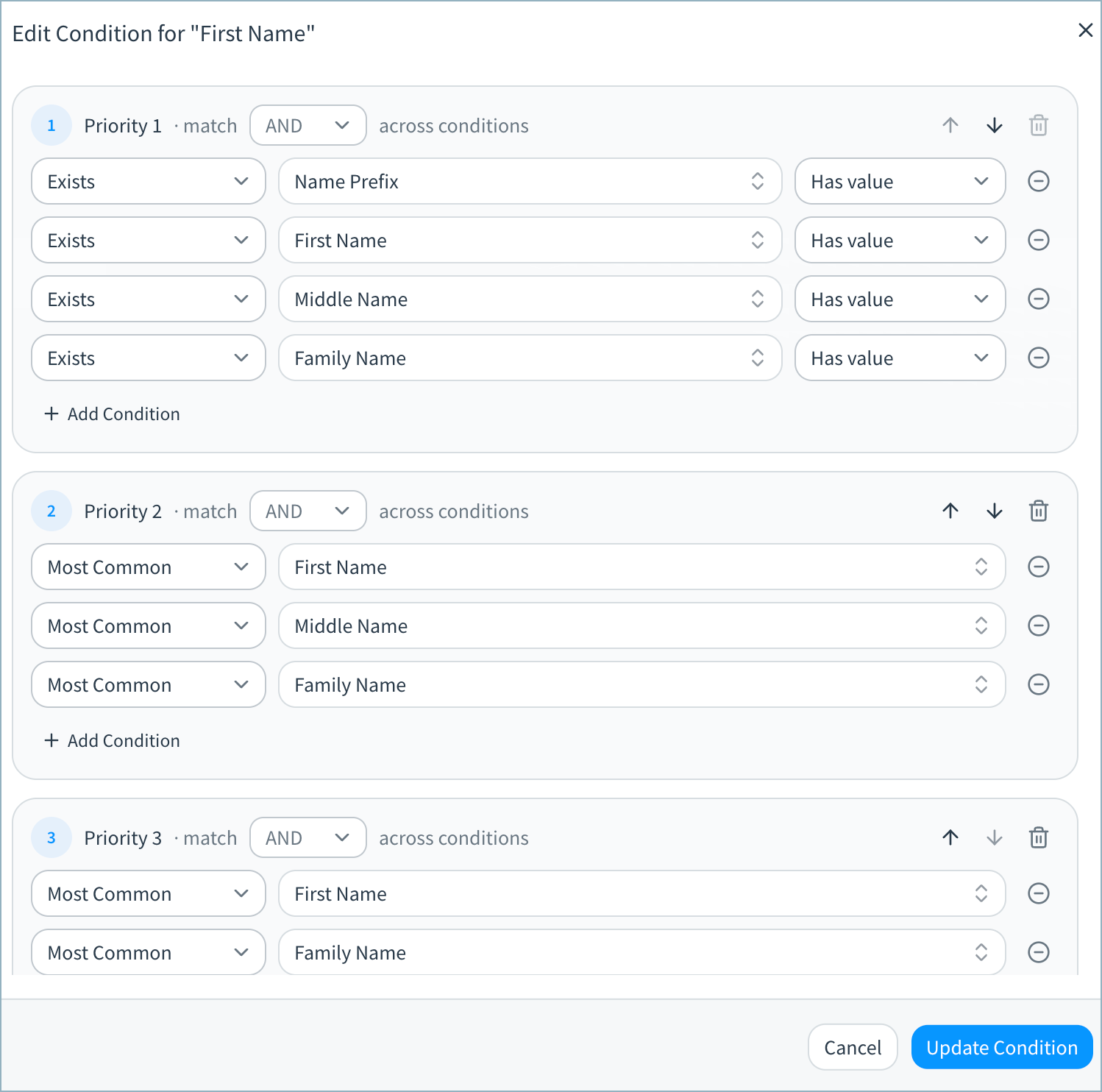
Full consolidation rule for First Name:
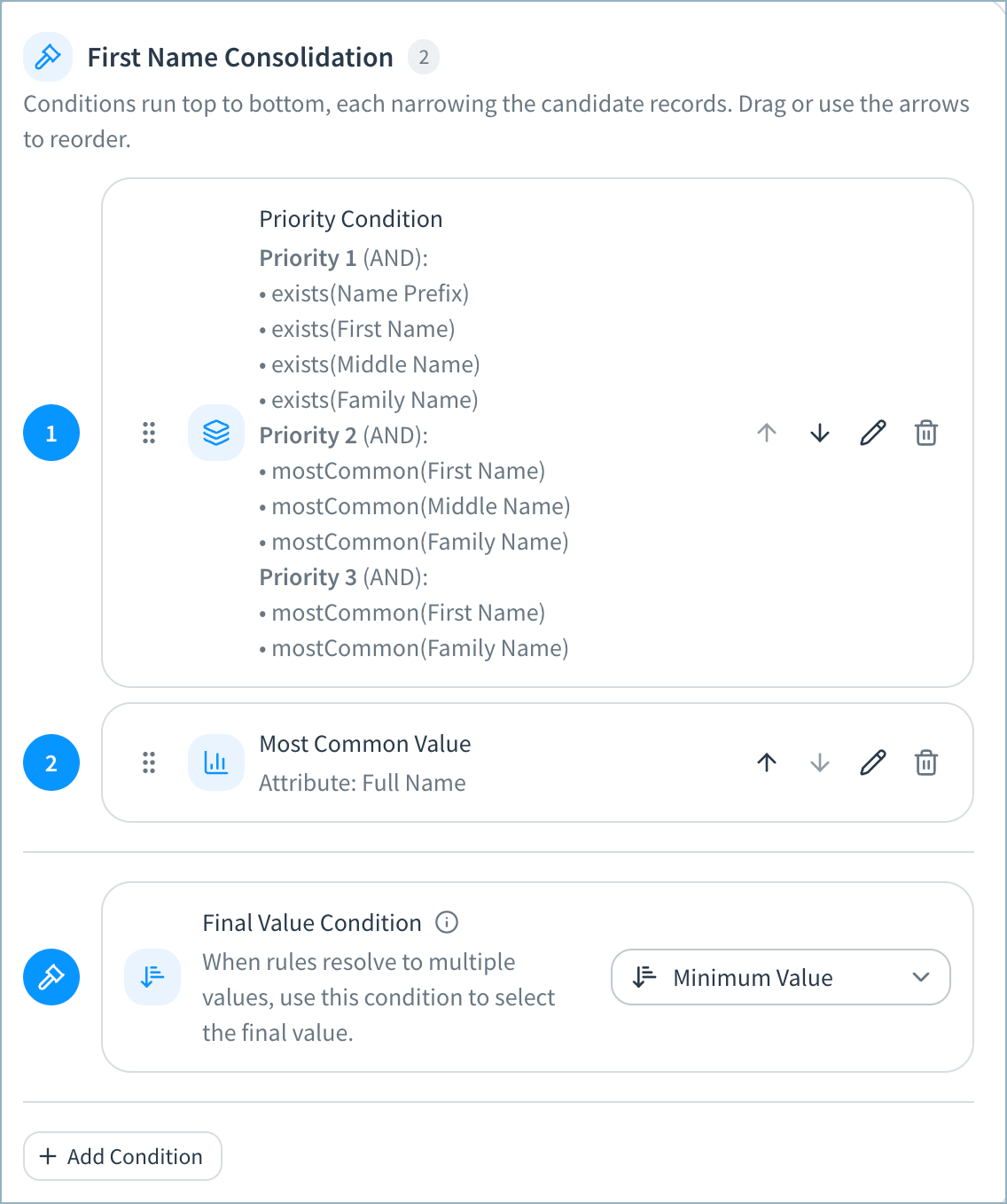
The priority condition is first in the First Name consolidation conditions (condition 1). If no records meet the criteria set in that condition, Tamr will then choose the First Name value associated with the most common Full Name value (condition 2).
Subfield Priority
This condition is relevant only for Address, Email, and Phone types, which contain multiple attributes. For example, each address type includes attributes for Address, Address Line 2, Address Line 3, City, Country, Postal Code and so on.
Subfield priority is an ordered list of fields used to narrow down source records in a cluster. It runs after any other conditions have been applied. First, it keeps only the records that share the most common value of the highest-priority field. Those records are then used to select the golden record values. If candidate records have no value for that field, the next field in the priority order is used instead.
For example, if Primary Address: Address is the highest priority address field, Tamr filters the source records in the cluster to those with values for that field and then to those with the most common value for that field. If none of the records in the cluster have a value for Primary Address: Address, Tamr filters by the next field in priority.
You can configure the which fields are included in the priority list and their priority.
Subfield Priority with Other Settings
The way in which Tamr applies subfield priority depends on whether the rule for the address, phone, or email type is set to use One Record’s Whole [Address, Phone, Email] or Each Field Separately.
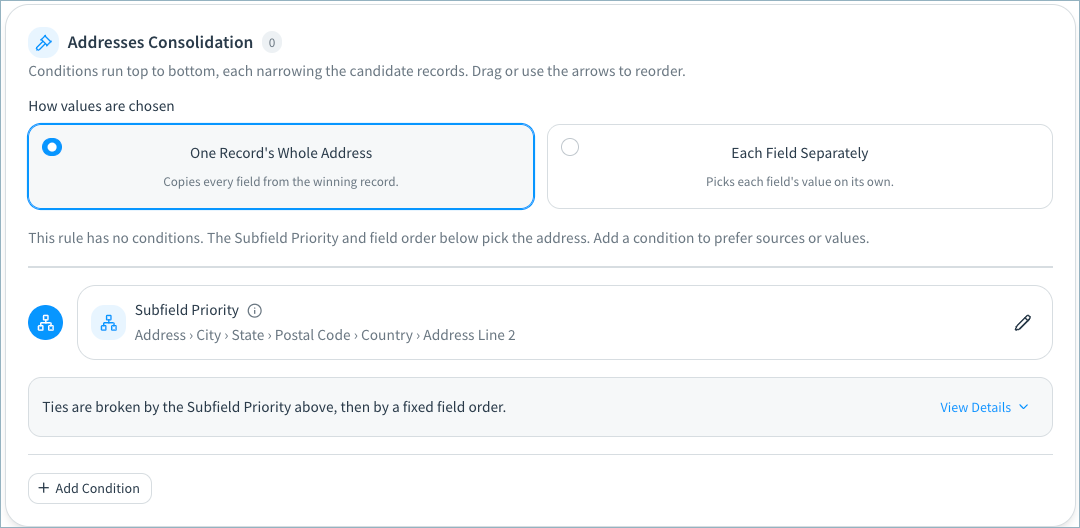
Subfield Priority with One Record’s Whole [Address, Phone, Email]
With this option, Tamr selects all golden record attributes for the address, phone, or email type from a single source record.
Tamr uses subfield priority to filter to the records that share the most common non-null value for the highest priority attribute, and then selects the golden record values from one of these source records.
To break any ties, Tamr compares the records in a fixed field order; a record that has a value for a field is prioritized over a record that does not have a value. If both records have a value, the record whose value comes first alphabetically or numerically is prioritized. Select View Details to see the field order, which cannot be changed.
Subfield Priority with Each Field Separately
With this option, Tamr picks each field value within an address, phone, or email type on its own instead of using values from a single record. The golden record can therefore combine values from different records.
Tamr selects the golden record value for each field by first filtering to the records that share the most common value for the highest priority field. Then, Tamr selects the most common non-null value for each individual field.
To break any ties, Tamr uses the specified Final Value condition to select the minimum or maximum field field value for the golden record value.
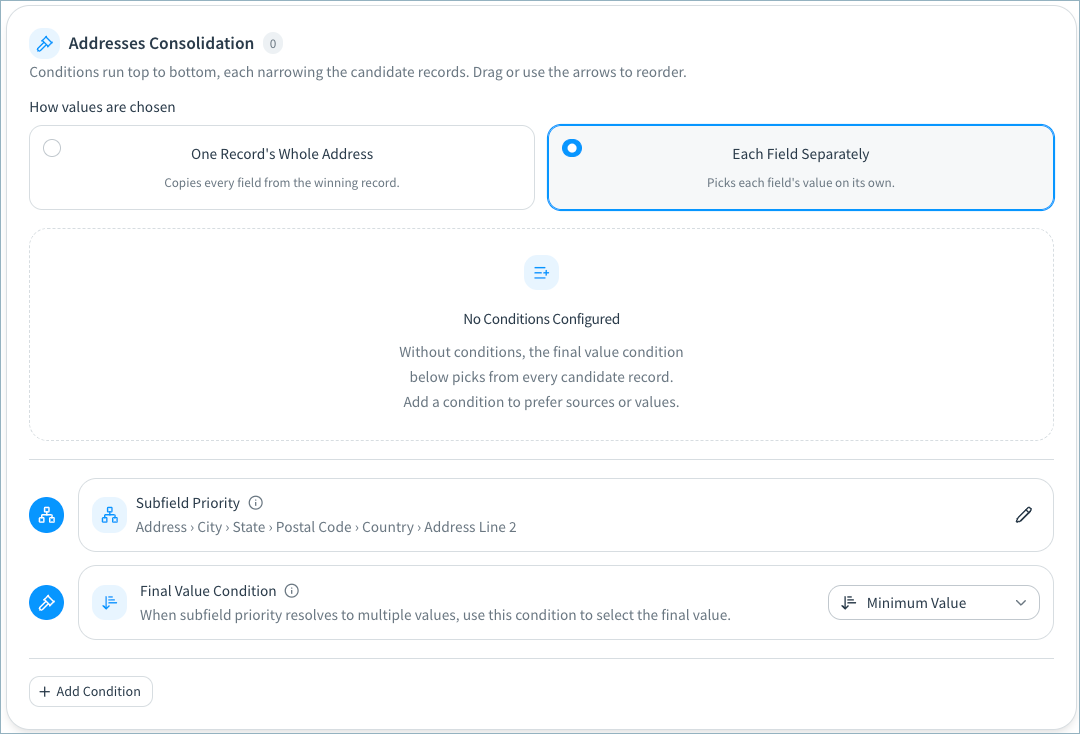
Final Value Condition
Each attribute has a default Final Value Condition, which cannot be deleted.
When rules resolve to multiple values, this condition determines the final value in the golden record.
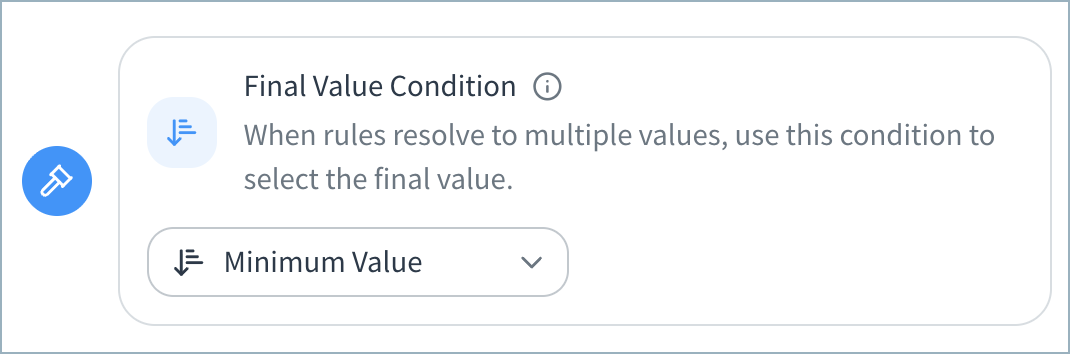
Generally, this condition selects the Minimum Value from the clustered source records (numerically or lexicographically) by default. If needed, you can change this to the Maximum Value instead.
For custom attributes and for Healthcare Provider Licenses, you can also choose Collect Distinct, which creates a list of all unique values for this attribute from the source records that meet the rule conditions.
Important Known Issues for Publishing Array Values: Currently, if you include golden record attributes with the Collect Distinct consolidation setting in a view, the values are not included in the published golden record dataset.
Updated 16 minutes ago